
BLUETTI Elite 30 V2 vs Jackery Explorer 300 v2: Which Small Power Station?
Two 288Wh-class stations, two different bets: the BLUETTI pushes 600W and LFP for UPS duty, while the Jackery undercuts it on price and weight. Here is how to pick one without overbuying.
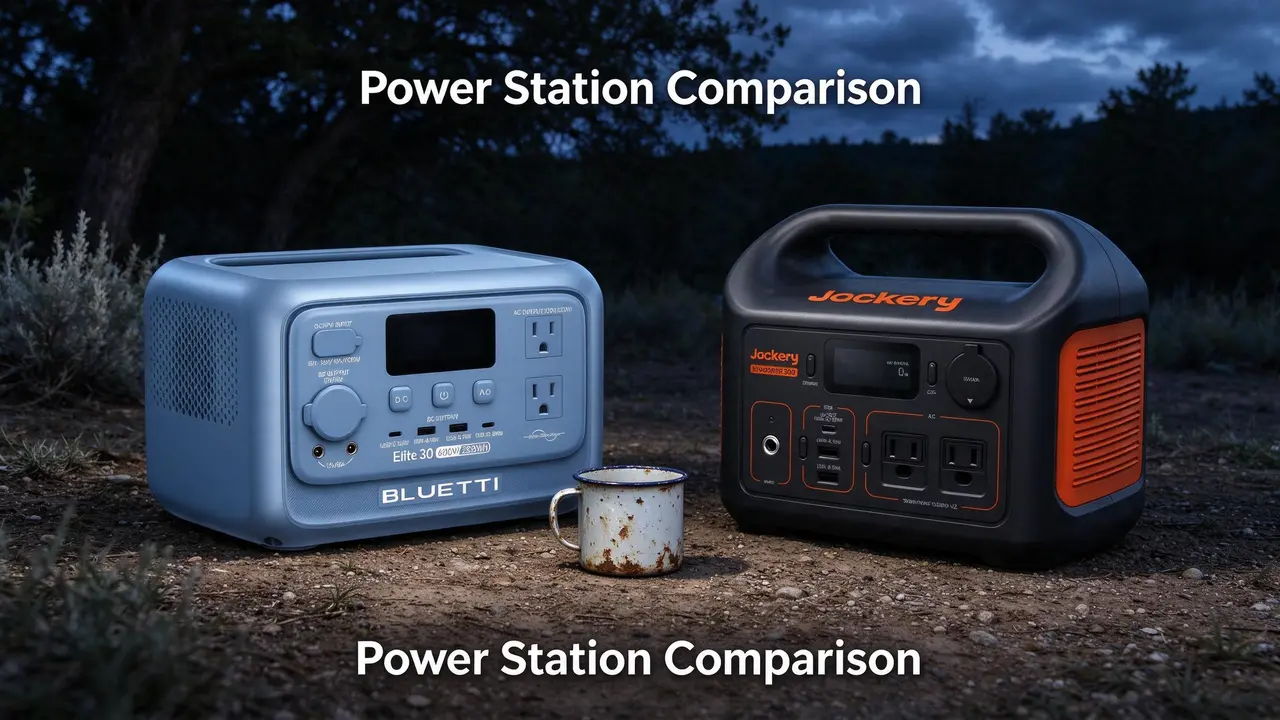
Updated
At a glance
Two 288Wh-class stations, two different bets: the BLUETTI pushes 600W and LFP for UPS duty, while the Jackery undercuts it on price and weight. Here is how to pick one without overbuying.
- BLUETTI bet: more continuous watts and LFP cycle life for UPS and medical-device duty.
- Jackery bet: lower list price, lighter carry, and a simpler small-appliance story.
- Shared limit: 288Wh is roughly a day of phones and lights, not a multi-day outage kit.
Same money, different bets
You are looking at two 288Wh-class stations that sit about $110 apart at list price. The BLUETTI Elite 30 V2 bets on headroom: 600W continuous AC, LiFePO4 chemistry, and a UPS-style switchover pitched at home-server and CPAP duty. The Jackery Explorer 300 v2 bets on value and portability: 300W continuous, 8.2 lb, and the lower nameplate price-per-Wh of the pair.
Neither is a whole-home backup. This page is for campers, small-office and home-server tinkerers, and CPAP users who need a compact battery, not for anyone hoping to run a fridge, space heater, or window AC. If that is your load, stop here and size up a 1,000Wh-plus unit instead.
One disclosure: picks here are fit-led, not commission-led. As an Amazon Associate, WattPicks earns from qualifying purchases. Specs below come from the listings; owner themes come from the review packs on file. These are home-user checks, not lab-bench measurements.
- BLUETTI bet: more continuous watts and LFP cycle life for UPS and medical-device duty.
- Jackery bet: lower list price, lighter carry, and a simpler small-appliance story.
- Shared limit: 288Wh is roughly a day of phones and lights, not a multi-day outage kit.
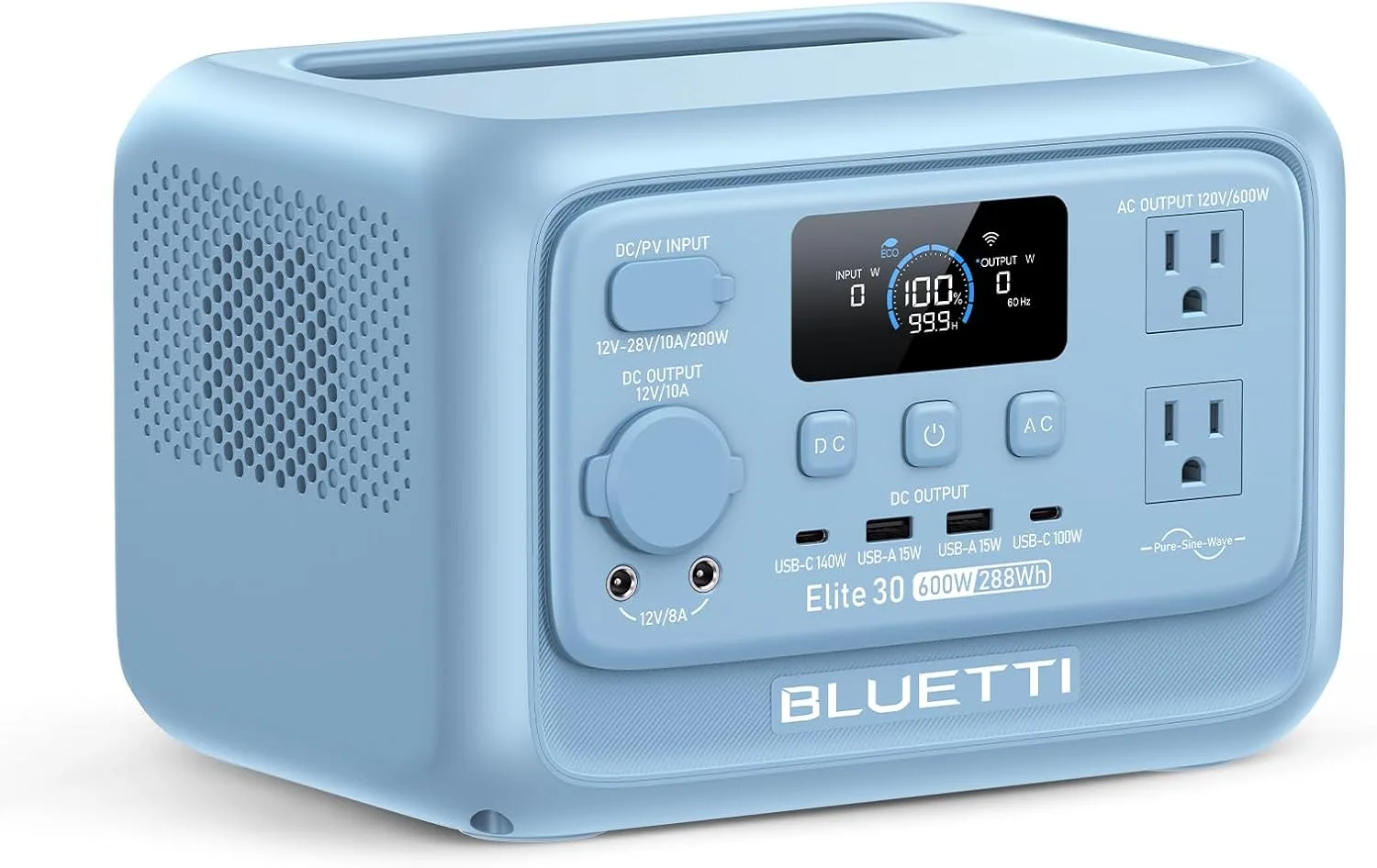
BLUETTI Elite 30 V2 Portable Power Station 288Wh 600W LFP Solar Generator
Highlights
- 288Wh rated capacity
- 600W continuous AC
- LiFePO4 chemistry
- Up to 200W solar input
- 9.5 lb (~4.3 kg)
- About $399 list
Best for
- Elite 30 V2: phones, cameras and a laptop on short trips
- Travel kits when you need quiet pack power, not appliance runtime
- Brief desk backup for router and lights — not a fridge for days
Strengths
- Elite 30 V2: 288Wh / 600W continuous — treat as electronics and light loads, not a tool inverter
- 9.5 lb (~4.3 kg) is the lightest-class carry in this band — easier stairs and car packing
- 10ms-class UPS switchover on the listing — useful when a router restart would hurt
- About $399 list in the Hub catalog — confirm live retail before you buy
Watch-outs · not ideal when
- Elite 30 V2's small Wh class empties fast with a kettle, hair dryer or space heater
- Usable energy on Elite 30 V2 is below the 288Wh label once the inverter is working
- Rated 200W solar on Elite 30 V2 is optimistic; shade and cables cut real watts
- Airline and pack limits may still block Elite 30 V2 even when the weight looks friendly
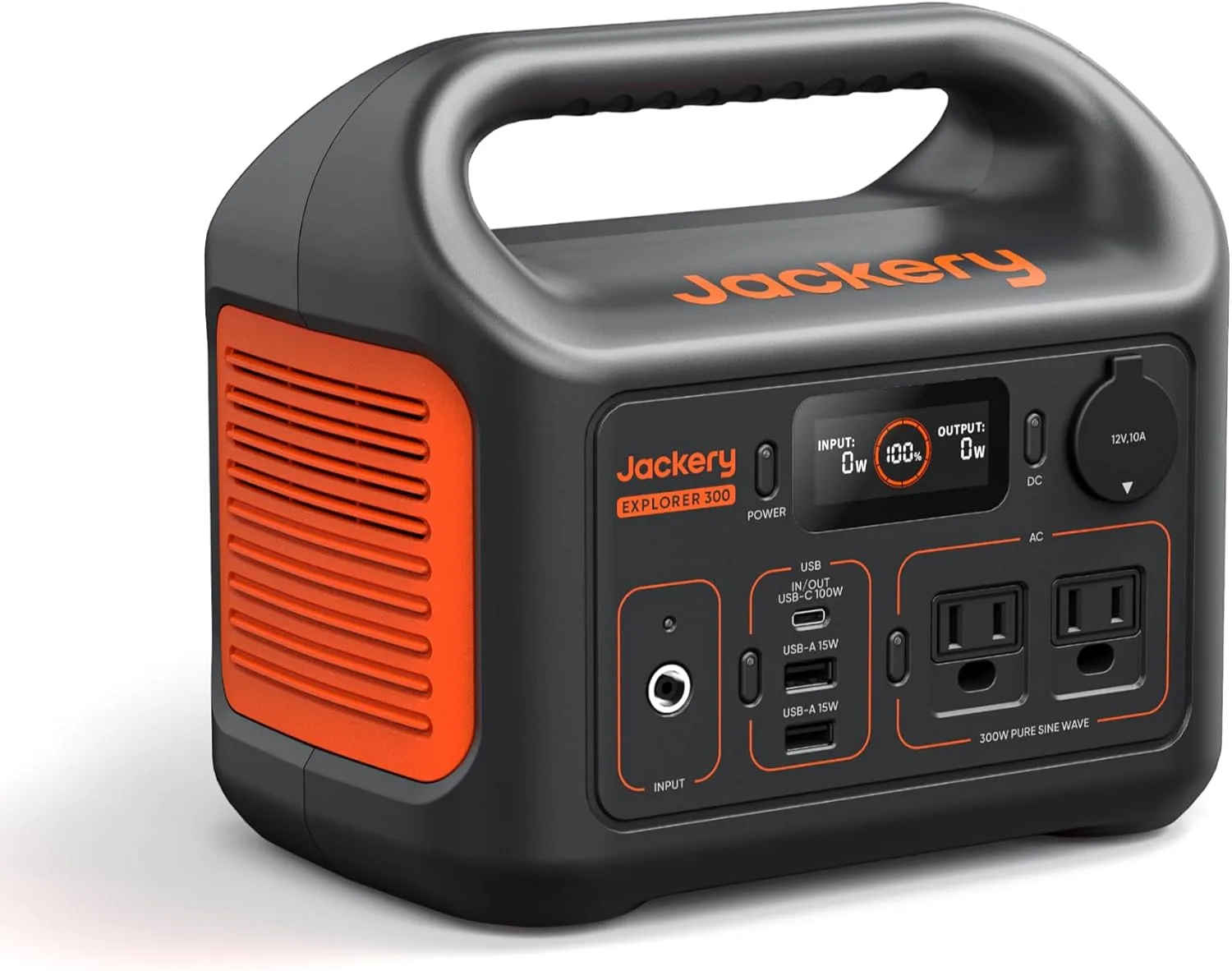
Jackery Explorer 300 Portable Power Station,292Wh
Highlights
- 288Wh rated capacity
- 300W continuous AC
- 600W surge
- LiFePO4 chemistry
- 8.2 lb (~3.7 kg)
- About $289 list
Best for
- Explorer 300 v2: phones, cameras and a laptop on short trips
- Travel kits when you need quiet pack power, not appliance runtime
- Brief desk backup for router and lights — not a fridge for days
Strengths
- Explorer 300 v2: 288Wh pack with 300W continuous / 600W surge — size loads to both numbers
- 8.2 lb (~3.7 kg) is the lightest-class carry in this band — easier stairs and car packing
- 10ms-class UPS switchover on the listing — useful when a router restart would hurt
- Owners on file: It went well for the first time using it. Powers of fans and light computer equipment charged quickly.
Watch-outs · not ideal when
- Explorer 300 v2's small Wh class empties fast with a kettle, hair dryer or space heater
- 300W continuous will not hold heating elements or many compressor surges for long
- Solar input unpublished for Explorer 300 v2 — do not assume a same-day off-grid refill
- Airline and pack limits may still block Explorer 300 v2 even when the weight looks friendly
Owner voices
Short takes from public retail reviews — paraphrased or translated when long or non-English; meaning kept close to the original.
“It went well for the first time using it. Powers of fans and light computer equipment charged quickly.”
“Don't be tricked into buying a refurbished product. They do not make it obvious that you are buying refurbished and have a short warranty. Then fail shortly after the warranty is up. I'm going to try Bluetti because t…”
“Easy to carry, and convienant when needed!”
Spec snapshot
Prices are list prices from the Hub catalogue, not current sale stickers. Ratings are listing aggregates, not owner proof. Where a spec is not published, it reads n/a (not on file).
| Product | List price | Capacity (Wh) | Output (W) | Weight (lb) | Rating |
|---|---|---|---|---|---|
| BLUETTI Elite 30 V2 Portable Power Station 288Wh 600W LFP Solar | $399 | 288 Wh | 600 W | 9.5 lb | 5.00 |
| Jackery Explorer 300 Portable Power Station,292Wh | $289 | 288 Wh | 300 W | 8.2 lb | 3.93 |
Where the money went
The BLUETTI's $110 premium buys output headroom and chemistry. Its 600W continuous rating is double the Jackery's 300W, which matters if you want to run a small rice cooker, a blender, or a home-server stack with peripherals. The listing also claims a 1,500W Power Lifting surge mode, but treat that as a short-burst marketing figure, not a continuous rating. LiFePO4 is the bigger long-term bet: it tolerates sitting at partial charge and is the chemistry you want for a unit that lives plugged in as a UPS.
The Jackery spends its money on ports and a lower entry price. The listing shows AC×2, USB-C×1, USB-A×1, and a car port, plus a 100W USB-C PD port. That is a lot of small-device coverage for $289. The BLUETTI's port count is not published in the same detail, so I will not claim it lacks anything; on paper, the Jackery is the easier one to hand to a family and say 'charge whatever you've got.'
Recharge speed is where the BLUETTI claims an edge: the listing says 380W wall charging, 0–80% in 45 minutes, and 0–100% in 70 minutes. The Jackery listing does not publish a wall-charge wattage, but owner notes describe roughly three hours from AC and about 5.5 hours from solar. Those are different kinds of claims — one from the spec sheet, one from owner experience — so do not read them as a controlled race. Treat all charge-speed and surge figures as listing claims subject to firmware and outlet conditions.
Weight is close but not a tie. The Jackery is 8.2 lb; the BLUETTI is 9.5 lb. Both are one-hand carries for most adults, and neither is a backpacking unit.
- Output: BLUETTI 600W continuous vs Jackery 300W continuous — the BLUETTI can start larger resistive loads.
- Chemistry: BLUETTI lists LiFePO4; Jackery also lists LiFePO4 with a 4,000-cycle claim to 70%. Chemistry is not the differentiator here; output is.
- Ports: Jackery publishes AC×2, USB-C×1, USB-A×1, car×1. BLUETTI port detail is n/a (not on file).
- Price-per-Wh: Jackery $1.00/Wh vs BLUETTI $1.39/Wh on nameplate capacity.
The spec that decides it
Continuous output is the line in the sand. If your load list includes anything that pulls more than 300W — a small rice cooker, a hair tool, a home-server plus monitor and network stack — the Jackery's 300W ceiling rules it out before capacity even enters the conversation. The BLUETTI's 600W continuous is the reason to pay the premium.
The second deciding spec is price-per-Wh. At $1.00/Wh, the Jackery is the cheaper way to buy 288Wh of storage. If your loads all fit under 300W, that is the better dollar-per-useful-watt trade. The BLUETTI's $1.39/Wh only makes sense when the extra 300W of headroom is something you will actually use.
- Buy the BLUETTI if any single device draws 300–600W and you need it to run, not trip.
- Buy the Jackery if every device on your list is under 300W and budget is the tiebreaker.
Real owner trade-offs
Owner reports are paraphrased themes, not lab results. Treat single reports as outliers until you can test your own unit.
- BLUETTI as UPS: owners report clean sine output and switchover fast enough that a home server never restarted; one got ~2.4 hours at ~150W versus ~1 hour from an older CyberPower.
- BLUETTI CPAP: a separately purchased DC converter is the difference between all-night runtime and a dead battery by morning — about 55% used with humidifier and heated hose on, about 35% without.
- BLUETTI anomaly (flagged outlier): one owner saw ~200W wall charging instead of the advertised 380W, a 60W lamp drain the battery in under an hour, a basic CPAP run only 42 minutes, and a small heater within the 600W continuous rating cause an immediate shutdown — all far below what 288Wh math predicts, possibly a defective unit. Test your specific loads in the return window.
- Jackery outage run: one owner ran a 42-inch TV, laptop, phone, heating pad, and small coffee maker for over six hours during a 24-hour outage and still had 43% left.
- Jackery CPAP: owners consistently say the DC cord is the unlock — three nights on a ResMed AirSense 11 at about 20% per night with no auto-shutoff, and another got four full nights with the humidifier off.
- Jackery low-draw caveat: the AC outlet can auto-shut off on low draw — one owner saw a CPAP shut off after 5.5 hours on AC, using about 40% per night.
- Jackery durability: a single report of a unit failing to charge after nine months, which Jackery replaced after some back-and-forth.
- Both: 288Wh is a short-outage or weekend-camping budget, not a multi-day whole-home plan.
Buy the one that…
Buy the BLUETTI Elite 30 V2 if you need 600W continuous for a home-server stack, a small appliance, or a CPAP setup where you have already budgeted for a DC converter — and you want LFP chemistry for a unit that will sit at partial charge. Skip it if your loads are all under 300W, if you expect the advertised 380W charge speed to be exact, or if you are not willing to test the unit thoroughly in the first week.
Buy the Jackery Explorer 300 v2 if your load list is phones, lights, fans, a laptop, and a CPAP with a DC cord, and you want the lower price-per-Wh and lighter carry. Skip it if anything you own pulls more than 300W continuously, or if you need a UPS-style transfer for a desktop or server — the 300W ceiling and low-draw auto-shutoff make it a poor fit for always-on gear.
- Walk away from both if you need to run a fridge, space heater, or window AC — neither is sized for that.
- Walk away from the BLUETTI if the $110 premium only buys specs you will never use.
- Walk away from the Jackery if your CPAP plan relies on the AC outlet rather than a DC cord.
Long-term ownership: warranty and end of life
Neither listing publishes a warranty term on file, so check the current product page before you buy — and note that a 4,000-cycle claim to 70% is a listing figure, not a guarantee of how your unit will age.
At 4,000 cycles, a daily-cycled unit would still hold about 70% of its original capacity, which is enough for shorter outages but not for the same runtime you had on day one. Plan on replacing the battery or the unit eventually, and factor that into the price-per-Wh math.
- Warranty: not published in the listings on file — verify on the product page before purchase.
- Cycle life: Jackery claims 4,000 cycles to 70%; BLUETTI's cycle claim is not on file.
- End of life: expect reduced runtime after years of daily cycling, and budget for replacement.
Frequently asked
Can either run a CPAP all night?
Yes, but both owner packs point to a DC converter as the reliable path. On AC, the Jackery may auto-shut off on low draw, and the BLUETTI can drain overnight.
Which is cheaper per Wh?
The Jackery at $1.00/Wh on nameplate capacity, versus $1.39/Wh for the BLUETTI.
Can the BLUETTI run a 500W device?
Its continuous rating is 600W, so on paper yes — but one owner reported a small heater shutting it down, so test your specific load early.
How fast is the UPS switchover?
The BLUETTI listing pitches a UPS-style switchover but does not publish a millisecond figure on file; one owner reported a home server never restarted, which is the practical test.
Method and sources
Model names and list prices come from the WattPicks catalog at build time. WattPicks does not run its own laboratory tests on power stations, and nothing on this page is presented as a measured result — it is catalog-backed buying guidance.
Read our methodology for how the catalog is normalized, and about WattPicks for who publishes it.