
512–1,070Wh Power Stations Compared: What a Jackery Owner Measured
A DIY Solar Forum owner measured about 540Wh from a Jackery Explorer 500 (a different model from the Explorer 500 v2 reviewed here) — a 4% gap that tells you more about capacity math than any spec sheet. Here is how to read Wh, solar watts, and 12V limits across three stations, including one whose capacity is 768Wh on file.
Updated
The 4% gap that should change how you shop
As an Amazon Associate I earn from qualifying purchases. Recommendations here are based on fit and the evidence below — not commission size.
A DIY Solar Forum owner hooked a shunt up to a Jackery Explorer 500 and measured roughly 540Wh against a 518Wh label — about 4% over. That is not a scandal. It is a reminder that nameplate Wh is a nominal figure, and the number that matters is usable Wh after inverter losses, which typically run 10–15%. Note that the forum case is the original Explorer 500, not the Explorer 500 v2 reviewed here; treat it as a class lesson on capacity math, not a measurement of the v2 unit.
Keep those two effects separate. The 4% over-delivery is cell-to-cell variance in the nameplate figure — it does not mean you get 4% more runtime. The 10–15% inverter loss is a separate, larger haircut that applies on top. A station that measures 4% high still delivers less usable AC energy than its label suggests.
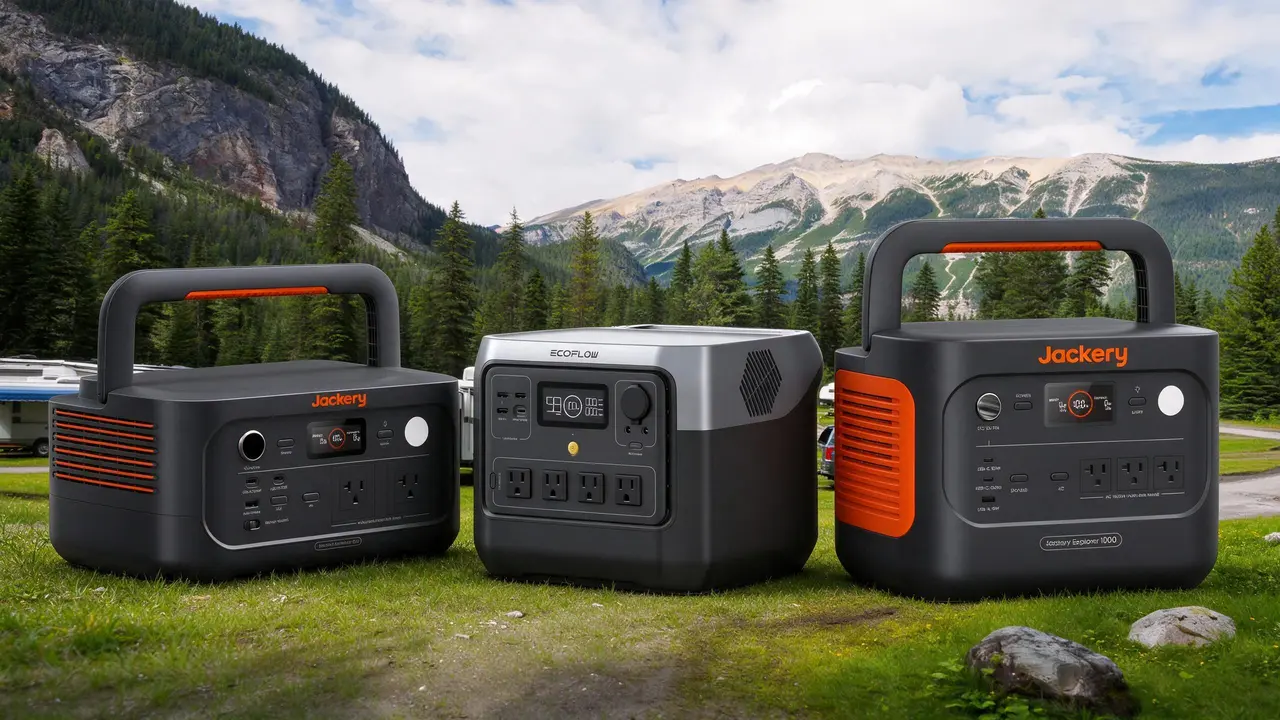
So the buying question is not "which station has the biggest number on the box." It is: what load will you actually run, for how many hours, and what does each watt-hour cost you at list price? This guide uses that forum case as a lens, then maps the lessons to three stations on file: the Jackery Explorer 500 v2 Portable Power Station,512Wh,500W AC, the EcoFlow Portable Power Station RIVER 2 Pro, 768Wh 800W, and the Jackery Explorer 1000 v2 Portable Power Station,1070Wh,1500W.
One boundary up front: this is not a whole-home backup guide, and none of these three will run a furnace blower or a 240V well pump. It is for camping, short outages, CPAP, fridges, and tool charging.
- Nameplate Wh ≠ usable Wh — subtract 10–15% for inverter losses before you do runtime math.
- A 4% over-delivery (forum case) is normal cell variance, not a spec you can shop for — and it does not cancel the inverter loss.
- The 12V outlet is not a universal DC source — inductive loads like tire compressors can trip it.
Methodology
This guide is a home-user check grounded in owner themes on file and listing specs; those checks are not lab-bench measurements. The forum thread is a community source used as a narrative lens, not WattPicks test data. Capacity, output, weight, and price come from the FACT LOCK; where a figure is missing, it is marked n/a rather than estimated.
Noah Kim is capacity and comparison editor at WattPicks, covering Wh class, chemistry trade-offs, and cost-per-Wh math from the published power-station catalogue.
Scoreboard on those weights — Jackery Explorer 500 v2 Portable Power Station,512Wh,500W AC (list $289): High where list price and published capacity match the job, Med on continuous watts. EcoFlow Portable Power Station RIVER 2 Pro, 768Wh 800W (list $439): High on continuous watts and ports, Med on price, and capacity is 768Wh on the FACT LOCK so $/Wh is $0.57. Jackery Explorer 1000 v2 Portable Power Station,1070Wh,1500W (list $559): High on capacity and $/Wh, Med on weight at 23.8 lb. That is why the pick splits by job rather than one universal winner.
Why each weight matters: capacity sets how many hours you get; continuous watts decide which loads start at all; price per Wh is the only fair cross-class comparison; weight decides whether you actually carry it. A station that wins on one and loses on another is not a bad product — it is a different job.
Capacity math: what 512Wh, 768Wh, and 1,070Wh actually buy
Take the Explorer 500 v2. At 512Wh nameplate, assume 10–15% inverter loss and you have roughly 435–460Wh of AC usable energy. A 45W CPAP draws about 360Wh over eight hours — tight but doable. A 60W car fridge cycling at 50% duty pulls about 720Wh per day, which is why owners on the forum and in reviews report the 500-class unit as a one-night fridge station, not a multi-day one.
The RIVER 2 Pro is the high-output middle child: 768Wh capacity on the FACT LOCK, 800W continuous AC output (listing start/surge 1,600W), and 18.2 lb. At $439 list, that is $0.57/Wh — between the two Jackery units. Treat it as the surge-load specialist: more headroom for motor starts, but less total energy than the Explorer 1000 v2.
The Explorer 1000 v2 is the only one where the math gets comfortable. At 1,070Wh and $559 list, that is $0.52/Wh — the cheapest nameplate $/Wh in this shortlist. A 60W fridge at 50% duty runs roughly 30 hours on usable capacity. That is the difference between "get through the night" and "get through a two-day outage."
| Product | List price | Capacity (Wh) | Output (W) | Weight (lb) | Rating |
|---|---|---|---|---|---|
| Jackery Explorer 500 v2 Portable Power Station,512Wh,500W AC | $289 | 512 Wh | 500 W | 12.6 lb | 3.93 |
| EcoFlow Portable Power Station RIVER 2 Pro, 768Wh 800W | $439 | 768 Wh | 800 W | 18.2 lb | 4.50 |
| Jackery Explorer 1000 v2 Portable Power Station,1070Wh,1500W | $559 | 1070 Wh | 1500 W | 23.8 lb | 4.75 |
Runtime at a glance: CPAP, 60W fridge, and a 45W laptop
Use this table to map your own load to a station. Figures are estimates from nameplate capacity minus 10–15% inverter loss. Owner-reported runtimes are flagged as such.
How to read it: a 45W CPAP over 8 hours needs about 360Wh; a 60W fridge at 50% duty needs about 720Wh per day; a 45W laptop charging for 3 hours needs about 135Wh. If your number is close to a station's usable capacity, plan a recharge or step up a class.
- Match panel wattage to bank size: ~100W per 500Wh is a rough rule of thumb for overnight-to-full in good sun — treat it as a starting point, not a spec.
- Forum reports of 65–82W from a nominal panel are normal variance, not a defect.
- Solar input ceilings belong on the listing/spec sheet — treat forum or owner peak watts as unverified unless they appear in the FACT LOCK.
| Station | CPAP (45W, 8h ≈ 360Wh) | 60W fridge (50% duty ≈ 720Wh/day) | 45W laptop (3h ≈ 135Wh) |
|---|---|---|---|
| Explorer 500 v2 (512Wh, ~435–460Wh usable) | One night, tight | About one night (owner reports) | Several charges |
| RIVER 2 Pro (768Wh, ~650–690Wh usable) | One night with margin | About one day (estimate) | Several charges |
| Explorer 1000 v2 (1,070Wh, ~910–960Wh usable) | Two nights with margin | About 30 hours (estimate) | Many charges |
Solar input: what the forum taught us
The forum thread spent pages arguing whether the Explorer 500 was pulling 65W or 82W from a panel. That spread is normal — panel angle, cloud cover, and charge-controller behavior all move the number. The lesson is not the exact wattage; it is that solar recharge is slow and weather-dependent, so size the panel to the station, not the other way around.
The FACT LOCK does not carry solar input ceilings for these three SKUs, so I will not quote manufacturer figures. What the forum and owner reports suggest is directional: higher solar input ceilings shorten cloudy-day recovery, and a 100W panel on a 1,070Wh bank is a multi-day proposition. If solar is your primary recharge path, verify the input ceiling on the manufacturer spec sheet for the exact SKU before you buy.
- Match panel wattage to bank size: ~100W per 500Wh is a rough rule of thumb for overnight-to-full in good sun — treat it as a starting point, not a spec.
- Forum reports of 65–82W from a nominal panel are normal variance, not a defect.
- Solar input ceilings are not on file for these SKUs — confirm on the manufacturer spec sheet.
The 12V outlet trap: why a tire compressor struggled
The forum owner's 12V outlet struggled with an inductive tire compressor — the inrush current on a motor can spike well above its running draw, and a 12V port rated for a few amps will either trip or sag. This is not unique to Jackery. It is a category-wide limitation of 12V cigarette-style outlets.
The Explorer 1000 v2 has a dedicated car port (car×1 per the port lock) plus AC outlets, so you can run a compressor off AC if the 12V port balks. The Explorer 500 v2's port list is AC: yes with USB-C and USB-A unknown — I will not claim absence of ports the listing does not confirm. The RIVER 2 Pro lists AC×4 and USB-C: yes, so AC is the safer path for motor loads there too.
Practical rule: for any motor load — compressor, fridge compressor, pump — check the surge wattage, not just the running watts, and prefer the AC outlet with the highest continuous rating you have.
- Chemistry and cycle counts for these three SKUs are n/a in the data on file — verify on the manufacturer spec sheet.
- Cycle life drives long-term $/cycle more than sticker price does.
- DIY LiFePO4 is cheaper per Wh but not portable and not warrantied as a system.
When to care about LiFePO4 (and when not to)
The FACT LOCK does not carry battery chemistry or cycle counts for any of these three stations, so I will not quote a LiFePO4 cycle figure or claim a chemistry the listing data does not confirm. What I can say is why the question matters: cycle life is the long-term cost driver. A pack rated for thousands of full cycles is cheaper per cycle than one rated for hundreds, even at the same sticker price.
Decision rule: if you will cycle the station weekly for years — daily CPAP, off-grid cabin, frequent outages — chemistry and cycle count are worth verifying on the manufacturer spec sheet for the exact SKU. If you need it a few times a season for camping and short outages, sticker price and weight matter more than cycle life. Treat retailer bullet points as marketing until the spec sheet confirms them. The forum thread's DIY LiFePO4 comparison is the honest counterpoint: raw cells are cheaper per Wh, but you give up portability, a warranty, and a finished inverter. For most buyers, the finished station wins on convenience even at a higher $/Wh.
- Chemistry and cycle counts for these three SKUs are n/a in the data on file — verify on the manufacturer spec sheet.
- Cycle life drives long-term $/cycle more than sticker price does.
- DIY LiFePO4 is cheaper per Wh but not portable and not warrantied as a system.
Customer service: what the forum and reviews suggest
The forum owner reported that a next-day sale price was honored by customer service — a fair outcome, but one that depended on timing and persistence. In the owner reviews on file, service experiences split sharply. RIVER 2 Pro owners report both fast, helpful support and long, frustrating warranty cycles; one high-visibility review describes weeks of back-and-forth over a replacement. Explorer 1000 v2 owners more often mention quick cable replacements and app-guided troubleshooting.
The takeaway is not "brand X has bad service." It is that service outcomes are inconsistent enough that you should buy from a retailer with a clear return window, and register the product the day it arrives.
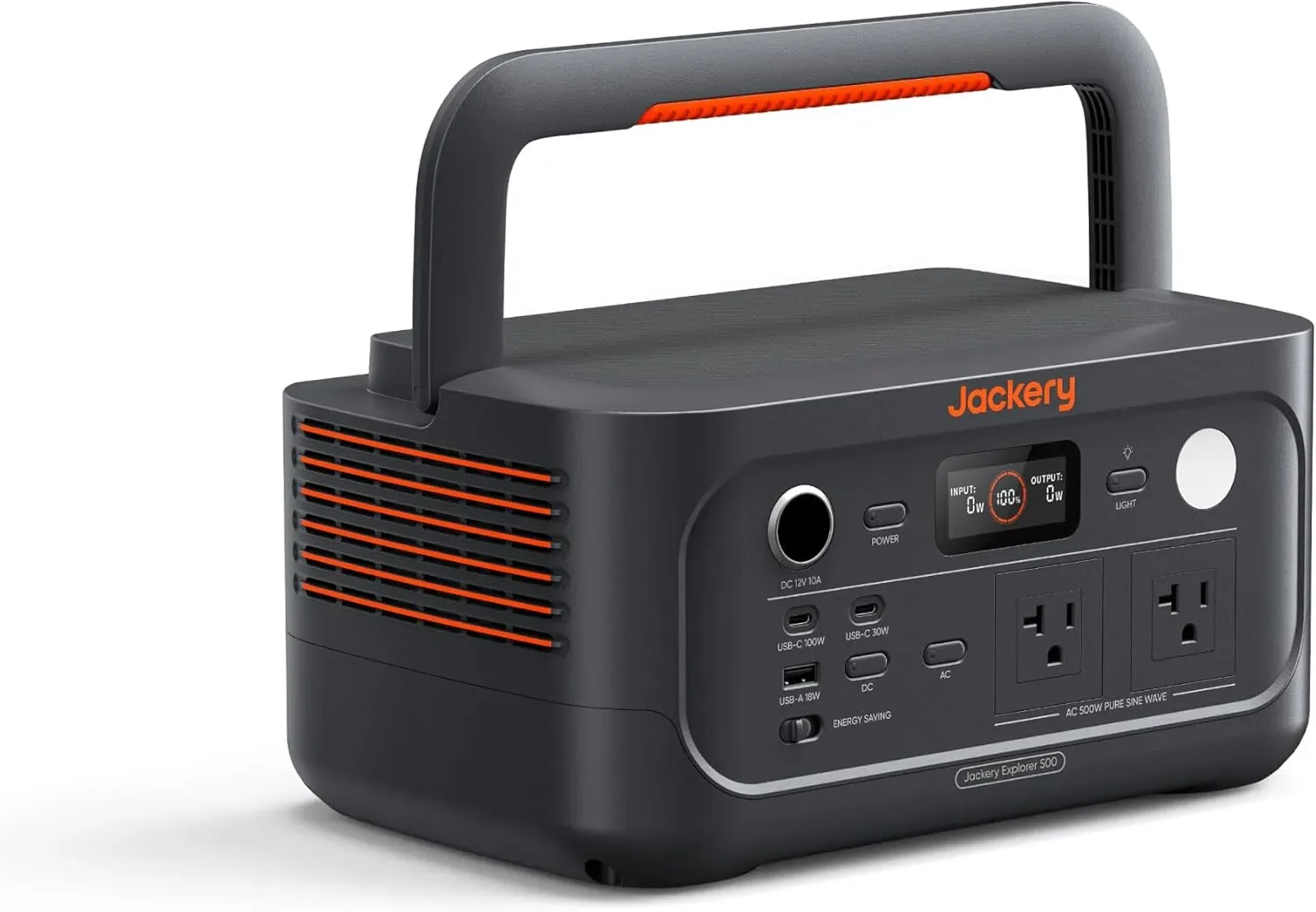
Jackery Explorer 500 v2 Portable Power Station,512Wh,500W AC
Highlights
- About $399 list
- Jackery catalog listing
- Specs from manufacturer listings
Best for
- Jackery Explorer 500 v2 Portable Power Station,512Wh,500W AC: longer outages or higher continuous loads (still not whole-home wiring)
- RV / off-grid days where recharge speed matters as much as Wh
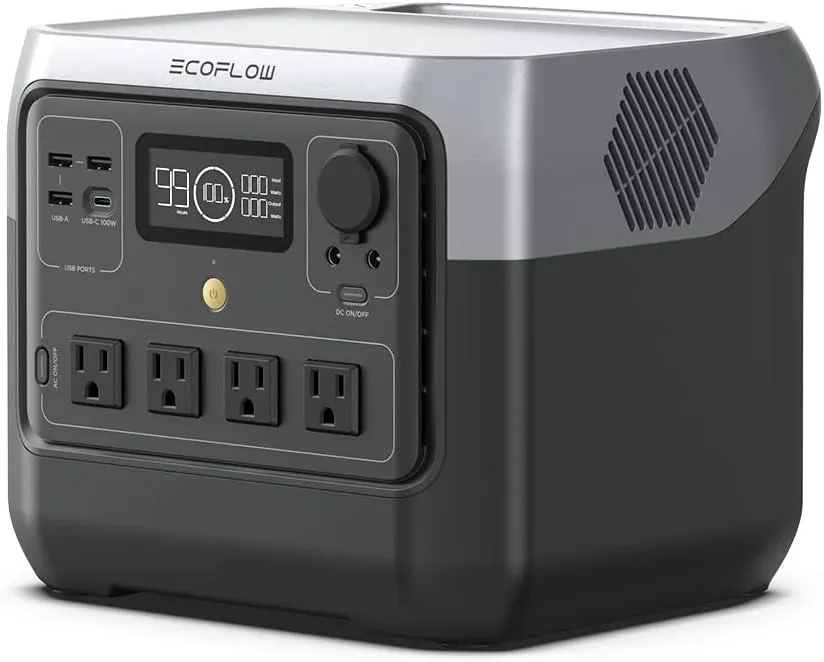
EcoFlow Portable Power Station RIVER 2 Pro, 768Wh 800W
Highlights
- 768Wh rated capacity
- 800W continuous AC
- 18.2 lb (~8.3 kg)
- About $439 list
Best for
- EF ECOFLOW: weekend camping when 18.2 lb carry weight matters as much as 768Wh
- Essentials bridge at home (fridge cycles, router) when sized to the Wh
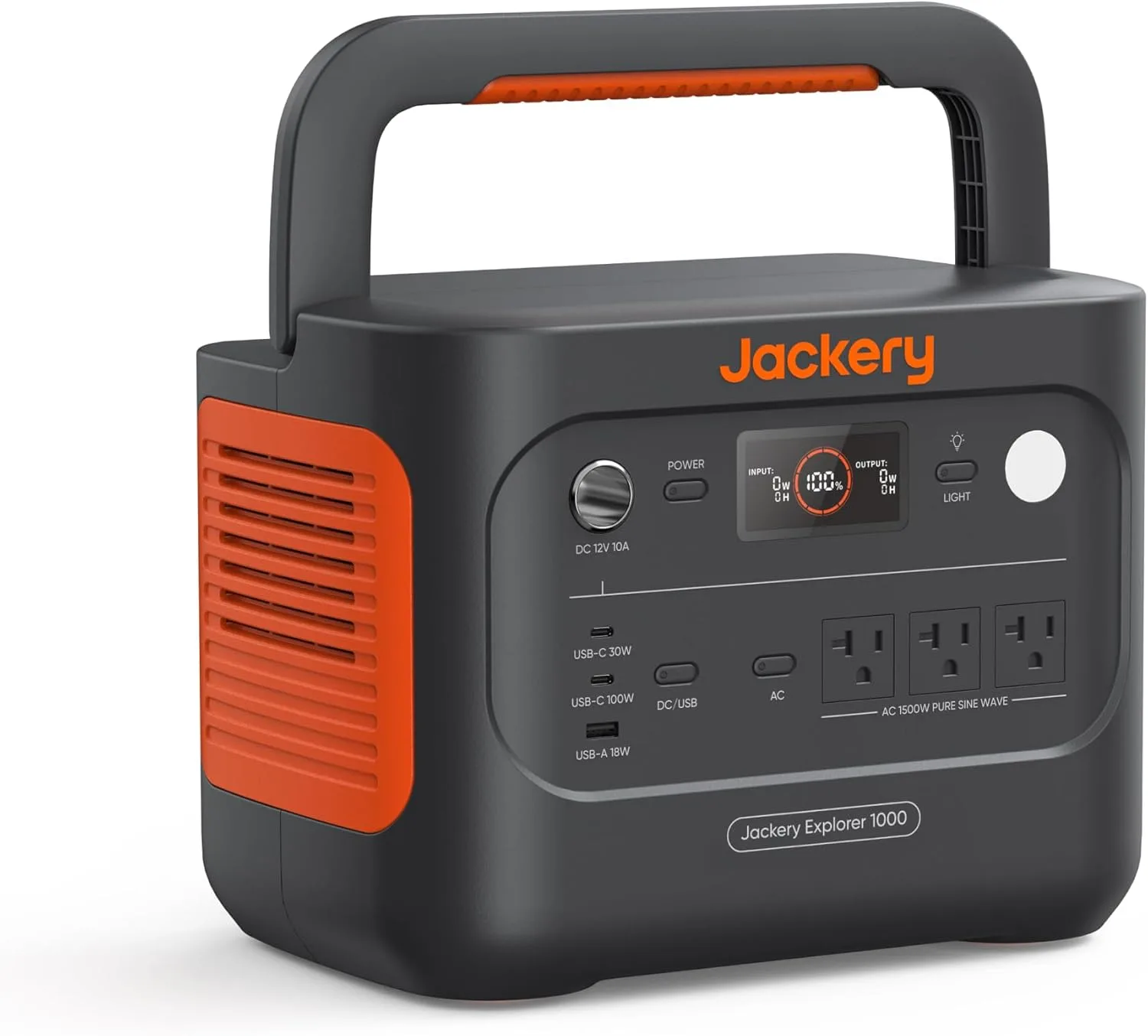
Jackery Explorer 1000 v2 Portable Power Station,1070Wh,1500W
Highlights
- 1070Wh rated capacity
- 1500W continuous AC
- LiFePO4 chemistry
- Up to 400W solar input
- 23.8 lb (~10.8 kg)
- About $559 list
Best for
- Explorer 1000 v2: weekend camping when 23.8 lb carry weight matters as much as 1070Wh
- Essentials bridge at home (fridge cycles, router) when sized to the Wh
Which of these three fits your load
Buy the Explorer 500 v2 if your loads are phones, lights, a CPAP, and maybe a small fan — and you want the lightest option at 12.6 lb. The deciding metric is weight and price for a one-night job. Skip it if you need to run a fridge for more than a night or any motor load above a few hundred watts.
Buy the RIVER 2 Pro if you need 800W continuous (1,600W surge/start) for short bursts — a coffee maker, a sump pump surge, a pellet stove — and you value the four AC outlets and onboard USB-C. The deciding metric is continuous output, with 768Wh capacity giving you roughly 650–690Wh usable for a CPAP night or a day of fridge duty. Skip it if you need the cheapest $/Wh or the longest multi-day runtime.
Buy the Explorer 1000 v2 if you want the best nameplate $/Wh in this group ($0.52/Wh), 1,070Wh for multi-day fridge duty, and the highest solar input ceiling. The deciding metric is usable capacity for multi-day loads. Skip it if 23.8 lb is more than you want to carry to a campsite.
- Explorer 500 v2: fast charge praised; screen timeout and idle drain noted.
- RIVER 2 Pro: hardware reliable; service experiences split sharply.
- Explorer 1000 v2: fridge runtime and charge speed praised; weight noted.
What owners actually say
Explorer 500 v2 owners praise fast AC charging and portability; several note the screen times out and the unit drains if left on with devices plugged in. One owner reported a 55-point drop overnight with phones connected and the station on, then only 10% loss in power-saving mode — a real-world argument for the eco mode (owner report, not a lab measurement).
RIVER 2 Pro reviews skew toward camping, CPAP, and home backup; the recurring complaint is customer service inconsistency, not the hardware. Explorer 1000 v2 owners report running a side-by-side fridge/freezer for up to 9 hours and charging to full in about 1.5–2 hours in normal mode (owner reports, not lab measurements).
- Explorer 500 v2: fast charge praised; screen timeout and idle drain noted.
- RIVER 2 Pro: hardware reliable; service experiences split sharply.
- Explorer 1000 v2: fridge runtime and charge speed praised; weight noted.
The cracks, consolidated: what none of these three will do
Before you pick, rule yourself out if any of these apply. None of the three is a whole-home backup solution: no 240V output, so a well pump, electric dryer, or central AC is off the table. None is a multi-day fridge station at the 500-class end — the Explorer 500 v2 is a one-night unit, and the 1,070Wh Explorer 1000 v2 buys you roughly a day, not a week. The RIVER 2 Pro's 768Wh sits between them, good for a CPAP night or a day of fridge duty but not a multi-day outage. And all three are carry-weight products: 12.6 to 23.8 lb is fine from car to campsite, not fine for a daily commute on foot.
If your need is whole-home backup, 240V loads, or multi-day fridge duty on a 500-class budget, this shortlist is the wrong shelf — step up in class or step up to a home battery, and do not let a good price on a 512Wh unit talk you into a job it cannot do.
Frequently asked
Can the Explorer 500 v2 run a CPAP all night?
At 512Wh nameplate and roughly 435–460Wh usable, an 8-hour CPAP draw of about 45W (360Wh) fits with margin. Heated humidifiers push draw higher and may not.
What is the RIVER 2 Pro's capacity?
The FACT LOCK lists 768Wh capacity and 800W continuous (1,600W surge/start). At $439 list, that works out to $0.57/Wh.
Will the Explorer 1000 v2 run a tire compressor?
Its car port and 1500W AC output give you options, but check the compressor's surge wattage — motor inrush can exceed running draw by 3–4×.
Is the Explorer 1000 v2 really the cheapest per Wh here?
On nameplate $/Wh, yes: $0.52/Wh vs $0.78/Wh for the Explorer 500 v2 and $0.57/Wh for the RIVER 2 Pro.
Method and sources
Model names and list prices come from the WattPicks catalog at build time. WattPicks does not run its own laboratory tests on power stations, and nothing on this page is presented as a measured result — it is catalog-backed buying guidance.
Read our methodology for how the catalog is normalized, and about WattPicks for who publishes it.