
Jackery Explorer 1000 v2 vs BLUETTI AC180: Which 1,000Wh Backup Fits Your Outage?
Two ~1,000 Wh stations, sixty dollars apart, built for opposite jobs: the Jackery for carrying and quiet, the BLUETTI for watts and UPS switchover. Here is which one pays off for your outage.
Updated
At a glance
Two ~1,000 Wh stations, sixty dollars apart, built for opposite jobs: the Jackery for carrying and quiet, the BLUETTI for watts and UPS switchover. Here is which one pays off for your outage.
- Jackery's strength: lighter, quieter, app-tuned charging
- BLUETTI's strength: more continuous watts, more outlets, UPS switchover
Same money, different jobs
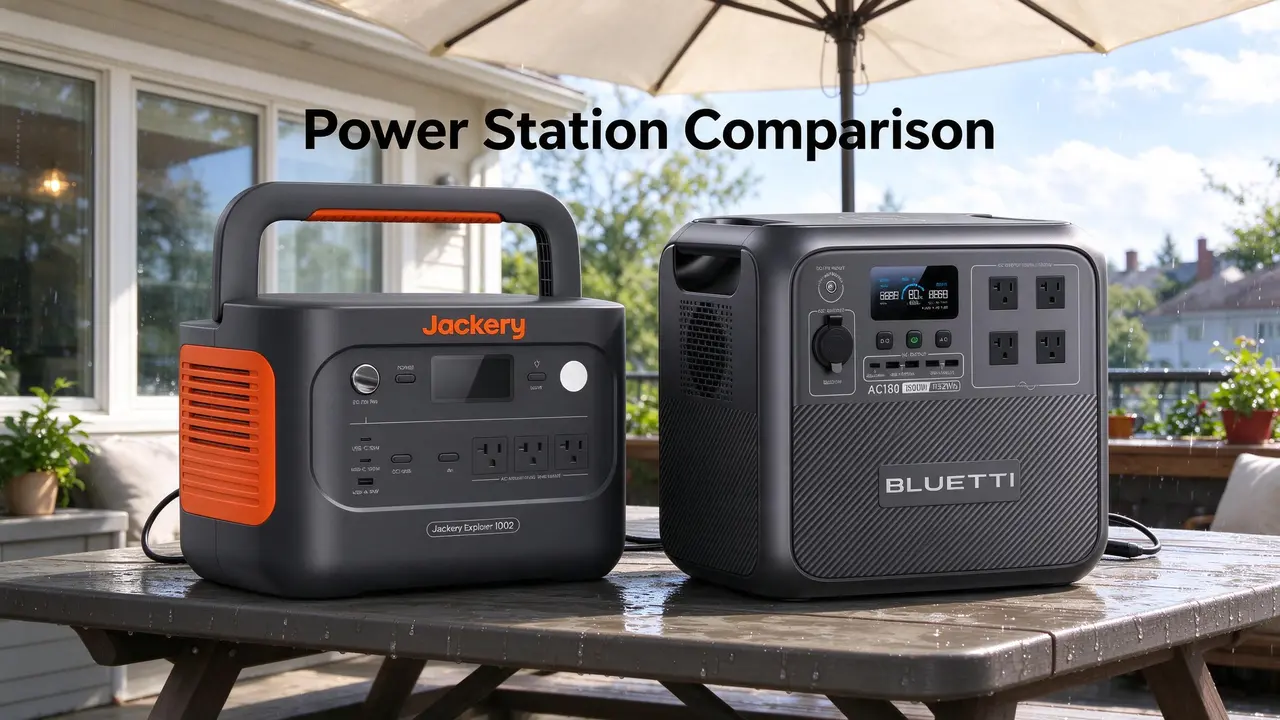
Sixty dollars separates these two, and neither is the safe default. The Jackery Explorer 1000 v2 Portable Power Station,1070Wh,1500W is built for carrying — 23.8 lb, a foldable handle, a quiet overnight mode, and an app that toggles charge speed. The BLUETTI AC180 is built for parking — 1,800 W continuous, four AC outlets, and a 20 ms UPS handoff the Jackery listing does not claim.
That is the whole duel in one line: portability and hush versus headroom and instant switchover. If you want a station that lives in a closet until the grid blinks, the BLUETTI is the better fit. If it rides in the truck or gets carried to the bedroom at 11 p.m., the Jackery's 11.5 lb advantage stops being a spec and starts being the reason you actually use it.
One boundary before we go further: this is a two-way comparison for buyers sizing a ~1,000 Wh station for outages, camping, and tailgates. It is not a whole-home backup guide, and neither unit runs a central AC, a well pump, or an electric range. For that conversation, read our home backup sizing walkthrough instead.
- Jackery's strength: lighter, quieter, app-tuned charging
- BLUETTI's strength: more continuous watts, more outlets, UPS switchover
How I weighed these two
I am a deep-use experience reviewer working from the manufacturer listings and the owner themes on file for each unit — home-user checks, not lab-bench measurements. I weighted continuous output and UPS capability at 30%, weight and portability at 25%, recharge behavior as owners actually report it at 20%, ports and app control at 15%, and owner-reported caveats at 10%.
On those weights the BLUETTI edges ahead for a stationary backup buyer: it wins the 30% output/UPS block outright and the recharge block on the one-hour claim, and only loses the 25% portability block. The Jackery wins portability and quiet, which is why it is the pick for anyone who moves the station rather than parks it. Neither wins on price-per-Wh — that is the BLUETTI's nameplate crown, and it is a small one (see the math in 'Where the money went').
WattPicks is a participant in the Amazon Associates program; picks here are fit-led, not commission-led. For the wider context, see our guide to portable power station capacity and runtime math and our LiFePO4 versus NMC chemistry explainer.
Spec snapshot
Prices below are list prices, not sale stickers. Ratings are the listing aggregates — useful for scale, not proof of anything. Every number here traces to the manufacturer listings; where a figure is not published, it reads n/a (not on file).
| Product | Price | Capacity (Wh) | Output (W) | Weight (lb) | Rating |
|---|---|---|---|---|---|
| Jackery Explorer 1000 v2 Portable Power Station,1070Wh,1500W | $559 | 1070 Wh | 1500 W | 23.8 lb | 4.7 |
| BLUETTI AC180 | $499 | 1152 Wh | 1800 W | 35.3 lb | 4.5 |
Where the money went
Four configuration calls explain the price gap better than the capacity numbers do.
Battery and cycle life. Both run LiFePO4, so the old NMC-versus-LFP worry is off the table here — you are not trading longevity for price. Jackery publishes 4,000 cycles to 70% capacity (manufacturer claim, not independently verified); BLUETTI's listing does not put a cycle count on file, so treat that as n/a rather than assume parity.
Inverter headroom. The BLUETTI's 1,800 W continuous is the real premium. That is the difference between a station that trips on a 1,700 W air fryer and one that shrugs — an owner on the Jackery side noted exactly that failure with a 1,700 W appliance. The Jackery's 1,500 W covers a fridge plus a portable AC, which one owner ran simultaneously, but it is not a margin you want to spend on heating elements.
Ports and outlets. Jackery lists AC×3, USB-C×1, USB-A×2, and car×1. (The listing also shows USB-C×30 and USB-A×18, which is not credible for a 1,000 Wh station; verify the actual port layout on the product page before you plan around it.) BLUETTI lists AC×4 and car×1, with USB-C and USB-A counts not on file; I will not claim they are missing. Four AC outlets is the practical win if you are running a router, a lamp, and a TV off one box.
Recharge and UPS. Jackery's headline is a one-hour emergency charge via the app, but owners report it reverts to normal after each use, with a full charge landing around 1 hour 40 minutes. BLUETTI claims 1,440 W AC input for a one-hour fill and a 20 ms UPS switchover — the latter is the feature that actually matters during an outage, because it keeps a router and desktop alive without a reboot. These are manufacturer-published figures, not independently verified; verify firmware and configuration for your setup.
Price per Wh. On nameplate math, the BLUETTI AC180 at $499 for 1,152 Wh works out to $0.43/Wh against the Jackery's $0.52/Wh at $559 for 1,070 Wh. That is a nameplate figure, not a usable-capacity guarantee — which is why the crown is small.
- LiFePO4 on both — no chemistry penalty either way
- Jackery: 4,000 cycles to 70% published; BLUETTI cycle count n/a (not on file)
- BLUETTI: 1,800 W continuous vs Jackery 1,500 W
- BLUETTI: 20 ms UPS claim; Jackery listing makes no UPS claim
The spec that decides it
Two numbers do most of the work. The first is weight: 23.8 lb versus 35.3 lb. That 11.5 lb spread is the difference between one-handing a station up a stair and treating it as furniture. Owners on the BLUETTI side repeatedly flag the heft as the main annoyance; Jackery owners describe tossing it in a truck bed without ceremony.
The second is the UPS handoff. If your outage plan is "keep the internet and the fridge alive," the BLUETTI's 20 ms switchover is the feature you will notice — one owner wired a basement circuit through it and reported the router and TV never blinked. The Jackery has no such claim on its listing, so if seamless transfer is the job, that is a real gap, not a marketing quibble.
Capacity and output are close enough to be noise: 1,152 Wh against 1,070 Wh is a rounding error in real runtime, and 300 W of extra continuous output only matters if you actually own a load between 1,500 W and 1,800 W.
Real owner trade-offs
The Jackery's owner story is a quiet, portable backup that behaves. One reviewer (owner review on file) ran a refrigerator and a portable AC together during storm prep and reported no hiccups, then slept next to it in quiet mode while it powered the fridge and fans. The same owner noted the one-hour boost is a one-shot per session, and that a 12-inch sliding miter saw would not start — the blade barely turned. A separate owner measured a 3 hp shop vac pulling the battery from 95% to 60% in roughly 15–20 minutes. Great for tools in short bursts; not a jobsite generator.
The BLUETTI's owner story is a UPS that earns its keep, with caveats. One reviewer (owner review on file) set it up as a basement UPS for a TV, router, and lights and called the switchover seamless. But the same unit draws about 20 W with the inverter on, and one owner calculated that idle draw plus the roughly 90% usable capacity can halve your real runtime on small loads — a number worth internalizing before you plan a 12-hour fridge run. The wireless charging pad, multiple owners report, connects and then quits after a few seconds. Use a cable.
Where the reviews skew: the Jackery feedback leans camping and outdoor use, the BLUETTI feedback leans home backup and UPS duty. That matches each unit's design intent, but it also means the Jackery's outage evidence is thinner than its tailgate evidence. These owner themes are drawn from a small sample of reviews on file (roughly a dozen per unit), not a large-scale survey.
- Jackery: fridge + portable AC together, quiet overnight, miter saw refused
- BLUETTI: seamless UPS handoff, ~20 W idle draw, wireless pad unreliable
Buy the one that…
Buy the Jackery Explorer 1000 v2 Portable Power Station,1070Wh,1500W if you will actually carry it — camping, tailgates, a bedroom during a storm — and you value the quiet mode and app control more than raw watts. Skip it if your outage plan includes a UPS handoff for networking gear or any appliance that pulls between 1,500 W and 1,800 W.
Buy the BLUETTI AC180 if it will live in one spot and keep a router, a TV, and a fridge alive through short outages, and you want the 20 ms switchover and four AC outlets. Skip it if you need to haul it regularly, if you plan to leave the inverter on for long stretches (that 20 W idle draw adds up), or if wireless charging was part of the appeal.
Neither is the right call if you are sizing for a well pump, central AC, or multi-day whole-home coverage — that is a transfer-switch conversation, not a 1,000 Wh one.
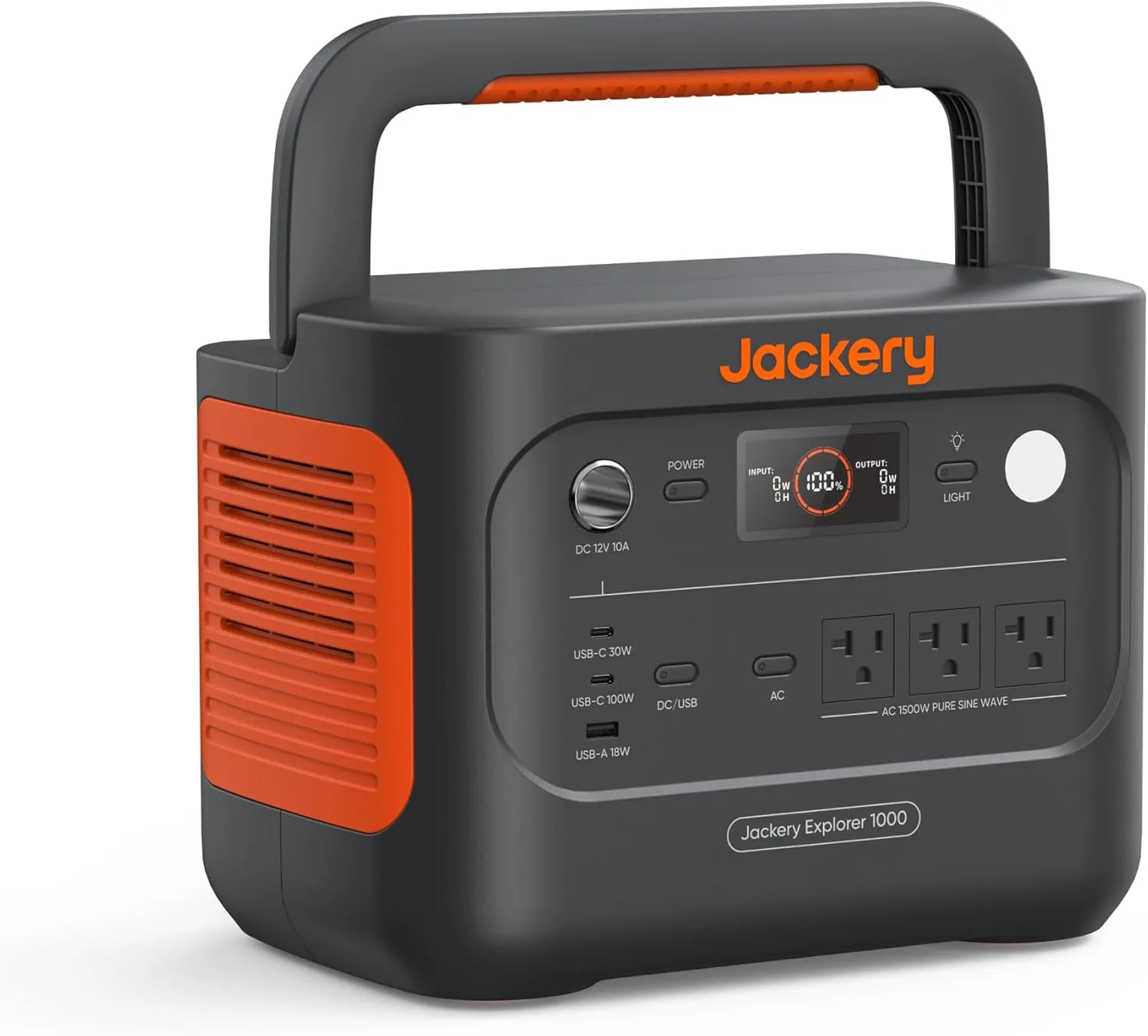
Jackery Explorer 1000 v2 Portable Power Station,1070Wh,1500W
Highlights
- 1070Wh rated capacity
- 1500W continuous AC
- LiFePO4 chemistry
- Up to 400W solar input
- 23.8 lb (~10.8 kg)
- About $559 list
Best for
- Explorer 1000 v2: weekend camping when 23.8 lb carry weight matters as much as 1070Wh
- Essentials bridge at home (fridge cycles, router) when sized to the Wh
- Solar top-ups up to ~400W when panels and weather cooperate
Strengths
- Explorer 1000 v2: 1070Wh with 1500W continuous — enough for fridge cycles if surge on the listing clears the start
- 23.8 lb (~10.8 kg) is the lightest-class carry in this band — easier stairs and car packing
- Explorer 1000 v2 uses LiFePO4 — cycle-life claims usually beat older NMC marketing lines
- Owners on file: Theme: Customers find the power station charges quickly, reaching 100% within 3 hours, and can power a side-b…
Watch-outs · not ideal when
- Explorer 1000 v2 is still a bridge for essentials — not a transfer-switch whole-home system
- Usable energy on Explorer 1000 v2 is below the 1070Wh label once the inverter is working
- Rated 400W solar on Explorer 1000 v2 is optimistic; shade and cables cut real watts
- LiFePO4 helps longevity, but Explorer 1000 v2 still hates freezing charge temps on winter trips
Owner voices
Short takes from public retail reviews — paraphrased or translated when long or non-English; meaning kept close to the original.
“Theme: Customers find the power station charges quickly, reaching 100% within 3 hours, and can power a side-by-side fridge/freezer for up to 9 hours. Moreover, the generator provides 1500 watt sustained output, lasts…”
“Theme: Kitchen Appliances (137)”
“Theme: Charging Electronics (98)”
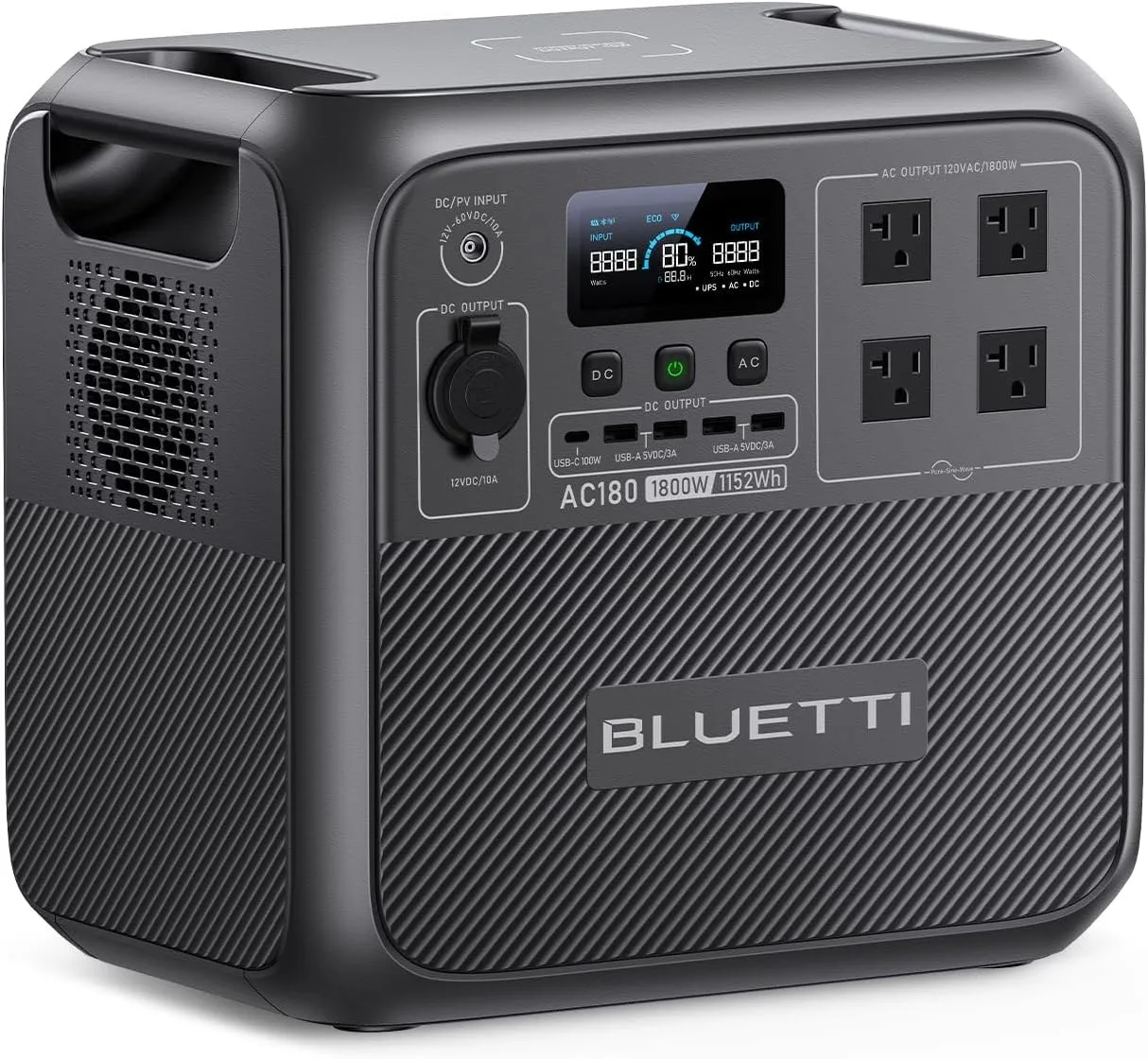
BLUETTI Portable Power Station AC180, 1152Wh LiFePO4 Battery Backup w/ 2 1800W
Highlights
- 1152Wh rated capacity
- 1800W continuous AC
- LiFePO4 chemistry
- Up to 500W solar input
- 35.3 lb (~16.0 kg)
- About $499 list
Best for
- AC180: most Wh per list dollar in mid-size LiFePO4 shortlists (~1152Wh)
- Home essentials when 1800W continuous matters more than a light carry
- Skip if 35.3 lb is too heavy for stairs or frequent car packing
Strengths
- AC180: 1800W continuous on a 1152Wh pack — more headroom for small appliances than 1kW-class peers
- 35.3 lb (~16.0 kg) is a park-and-use chassis — plan a short path, not a trail hike
- 1800W continuous headroom covers more small appliances than 1kW-class inverters
- Owners on file: Theme: Customers find this power station to be the best they've used, praising its fast charging capability (…
Watch-outs · not ideal when
- 35.3 lb (~16.0 kg) is a two-hand lift; skip it if you walk more than a short path to camp
- Usable energy on AC180 is below the 1152Wh label once the inverter is working
- Rated 500W solar on AC180 is optimistic; shade and cables cut real watts
- LiFePO4 helps longevity, but AC180 still hates freezing charge temps on winter trips
Owner voices
Short takes from public retail reviews — paraphrased or translated when long or non-English; meaning kept close to the original.
“Theme: Customers find this power station to be the best they've used, praising its fast charging capability (reaching 100% in about an hour) and value for money. They appreciate its power capacity, with one customer n…”
“Theme: Refrigerator (87)”
“Theme: Phone Charging (44)”
Match your load list to these three numbers
Before you pick, write down your three biggest loads and their running watts. Then check three numbers on each station: continuous output (1,500 W Jackery vs 1,800 W BLUETTI), usable capacity (nameplate Wh × ~0.9 for LiFePO4), and idle draw (BLUETTI ~20 W with inverter on; Jackery not on file). If any load exceeds the continuous rating, that station is out. If your total Wh needed for the outage exceeds usable capacity, plan to cycle loads or size up. If idle draw is a large fraction of your average load, expect runtime to shrink accordingly.
Use-case verdict
Here is how the two split by job, using the weighted criteria above.
| Use case | Jackery Explorer 1000 v2 | BLUETTI AC180 | Why |
|---|---|---|---|
| Carrying to campsite or tailgate | Best | Skip | 11.5 lb lighter, foldable handle, quiet mode |
| Stationary home backup (router, TV, lights) | Skip | Best | 20 ms UPS claim, four AC outlets |
| Running a fridge through a 12-hour outage | Good with cycling | Good with cycling | Similar usable Wh; BLUETTI idle draw eats buffer |
| Powering a 1,700 W appliance (air fryer, etc.) | Skip | Best | Jackery 1,500 W trips; BLUETTI 1,800 W covers |
| Whole-home or multi-day coverage | Skip | Skip | Neither is sized for well pump, central AC, or multi-day |
Frequently asked
Can either run a refrigerator overnight?
Yes, with conditions. The Jackery owner ran a fridge plus a portable AC simultaneously; the BLUETTI owner ran a car fridge for five days of camping. For a full-size kitchen fridge, expect to cycle it rather than run it continuously. Worked example: a 150 W fridge duty-cycled at 50% draws about 75 W average, so over 12 hours it needs ~900 Wh. The Jackery's 1,070 Wh nameplate covers that with little margin; the BLUETTI's 1,152 Wh leaves a bit more, but its ~20 W idle draw and ~90% usable capacity eat into the buffer. Plan to cycle the fridge, not run it flat out.
Does the Jackery have a UPS mode?
Its listing makes no UPS claim, so do not buy it expecting a 20 ms handoff. The BLUETTI explicitly claims one.
How fast do they recharge?
Jackery claims a one-hour emergency charge via the app, but owners report it reverts to normal, with a full fill around 1 hour 40 minutes. BLUETTI claims 1,440 W AC input for a one-hour charge; one owner needed a full discharge-and-recalibrate cycle before seeing over 1,000 W. Claims are manufacturer-published; verify firmware and configuration for your setup.
Which is cheaper per Wh?
On nameplate math, the BLUETTI AC180 at $499 for 1,152 Wh works out to $0.43/Wh against the Jackery's $0.52/Wh at $559 for 1,070 Wh. That is a nameplate figure, not a usable-capacity guarantee.
Method and sources
Model names and list prices come from the WattPicks catalog at build time. WattPicks does not run its own laboratory tests on power stations, and nothing on this page is presented as a measured result — it is catalog-backed buying guidance.
Read our methodology for how the catalog is normalized, and about WattPicks for who publishes it.