
Best Portable Power Stations for Remote Work: 5 Picks Ranked
A remote-work power station has to run a laptop, monitor, router, and phone for a full day — then recharge fast enough to do it again. I ranked five desk-class units on usable watt-hours, continuous output, and real owner runtime, with the BLUETTI AC180 taking the value crown.
Updated
The remote-work load is smaller than you think — and that changes the math
If you're shopping for a power station to keep a laptop, monitor, router, and phone alive through a workday, the honest answer is that almost any desk-class unit can do it. A typical remote-work desk pulls roughly 80–150W continuous: laptop 45–65W, monitor 20–30W, router 10–15W, phone charging 5–20W. At 100W, a 1,000Wh battery gives you about 8–10 usable hours once you account for inverter overhead and the unit's own idle draw.
So the decision isn't really about raw capacity. It's about which unit wastes the least energy sitting there, recharges fast enough to be ready tomorrow, and stays quiet enough that you forget it's in the room. That's what I weighted.
One boundary up front: this is not a whole-home backup guide. If you're trying to run a fridge, a space heater, or a sump pump through a multi-day outage, you need a bigger class of unit and a transfer-switch plan. These five are for the desk, the road, and the short outage — not the whole house.
- Laptop + monitor + router + phone ≈ 80–150W continuous — well under every unit's continuous rating here.
- Usable capacity matters more than nameplate: inverter overhead and idle draw can eat 15–25% of the sticker.
- Recharge speed decides whether a single unit can cover a daily work cycle or needs a second battery.
Quick picks: which one for which desk
Here's the short version before the deep dives. The BLUETTI AC180 is the value pick — lowest nameplate cost per Wh in this group at $0.43/Wh, a real UPS switchover, and enough capacity to run a desk for a full day. The Anker C1000 Portable Power Station is the fast-recharge pick if you're cycling it daily and want the app control. The Jackery Explorer 1000 v2 is the quiet-room pick, with a genuinely sleep-friendly mode and the lightest body of the three 1kWh units. The EcoFlow RIVER 2 Pro is the travel pick at 18.2 lb, and the Anker C1000 Portable Power Station with Car Charging Cable, 1,056Wh is the odd one out on paper — its listing capacity reads 56 Wh, which I'll address honestly below.
Budget tradeoff: the RIVER 2 Pro at $439 saves you $60 versus the $499 AC180, but you give up a verified capacity figure and a true UPS — so if the desk stays put, the extra $60 buys more certainty and a cleaner switchover.
- #1 BLUETTI AC180 — $499, 1152 Wh, 1800 W, 35.3 lb — best value per Wh and a true UPS.
- #2 Anker C1000 Portable Power Station — $599, 1056 Wh, 1800 W, 28.4 lb — fastest daily recharge cycle.
- #3 Jackery Explorer 1000 v2 — $559, 1070 Wh, 1500 W, 23.8 lb — quietest for an apartment office.
- #4 EcoFlow RIVER 2 Pro — $439, capacity n/a (not on file), 1600 W, 18.2 lb — lightest for travel.
- #5 Anker C1000 with Car Charging Cable — $599.99, 56 Wh listed, 1800 W, 27.6 lb — listing spec conflict, not recommended until resolved.
How I ranked these five
I'm a capacity and comparison editor. My checks here are home-user checks grounded in the owner themes on file plus the published listing specs — they are not lab-bench measurements, and I'm not going to pretend otherwise. Where a number comes from a listing, I say so. Where it's missing, I write n/a (not on file) rather than guess.
The weights: usable capacity and idle draw 30% (because a unit that leaks 20W sitting idle loses you hours over a workday), recharge speed 25% (daily cycling is the remote-work reality), continuous output headroom 20% (you want margin above 150W, not a unit pinned at its limit), portability and noise 15%, and owner-theme consistency 10% (do the reviews match the spec sheet?).
Why #1 beats #2: the BLUETTI AC180 and the Anker C1000 Portable Power Station are close on paper — 1152 Wh vs 1056 Wh, both 1800 W. The AC180 wins on the first weight because its nameplate cost per Wh is $0.43 vs $0.57, and it has a documented UPS switchover that owners describe as seamless. The Anker wins on recharge speed and app control, which is why it's #2 rather than #1 — if you cycle daily, that gap narrows fast. The Jackery lands at #3 because its 1500 W continuous is the lowest here and it lacks 12V barrel ports, but its quiet mode is the best in the group for a shared apartment.
One disclosure: this page uses Amazon Associates links. Picks are fit-led, not commission-led — the cheapest unit here is also the one I'd buy for a desk.
Scoreboard on those weights — #1 BLUETTI AC180 (list $499): High on usable capacity and idle draw, High on cost per Wh, Med on continuous watts. #2 Anker C1000 Portable Power Station (list $599): High on recharge speed and app control, High on continuous watts, Med on cost per Wh. That is why the pick splits by job rather than one universal winner.
- Usable capacity + idle draw — 30%
- Recharge speed — 25%
- Continuous output headroom — 20%
- Portability and noise — 15%
- Owner-theme consistency — 10%
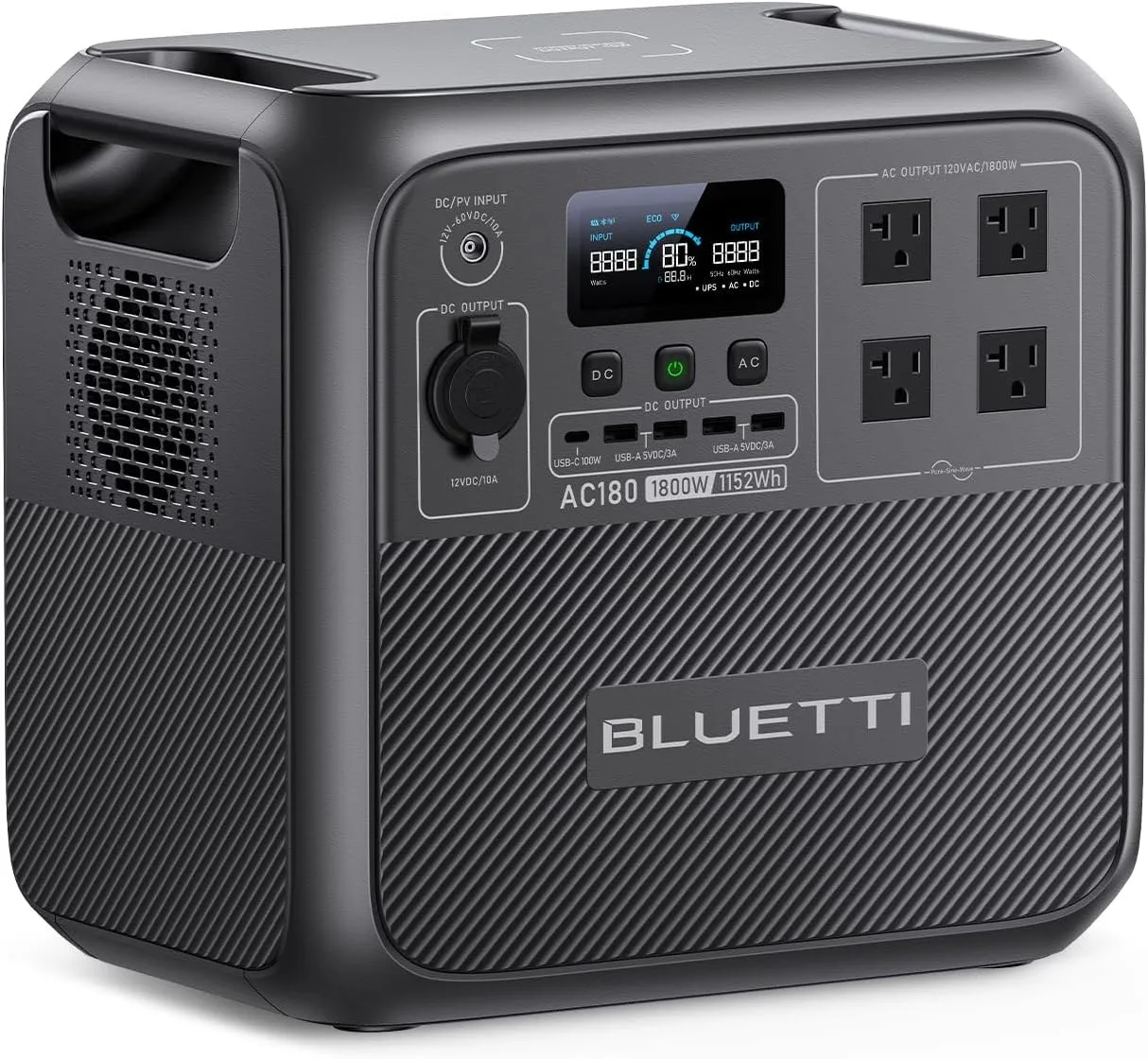
BLUETTI Portable Power Station AC180, 1152Wh LiFePO4 Battery Backup w/ 2 1800W
Highlights
- 1152Wh rated capacity
- 1800W continuous AC
- LiFePO4 chemistry
- Up to 500W solar input
- 35.3 lb (~16.0 kg)
- About $499 list
Best for
- AC180: most Wh per list dollar in mid-size LiFePO4 shortlists (~1152Wh)
- Home essentials when 1800W continuous matters more than a light carry
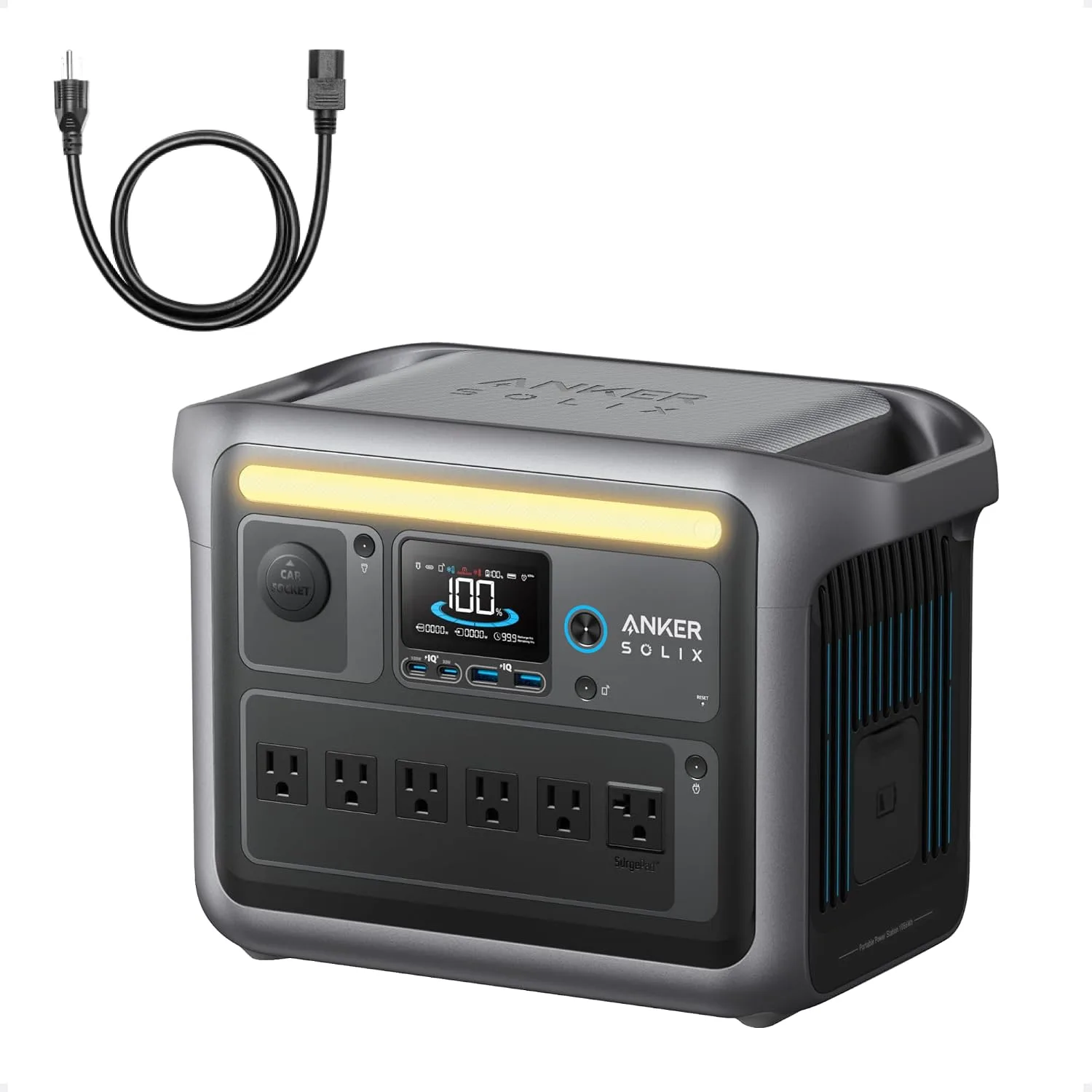
Anker Full Charge in 58 Min
Highlights
- 56Wh rated capacity
- 1800W continuous AC
- LiFePO4 chemistry
- 27.6 lb (~12.5 kg)
- About $599.99 list
Best for
- SOLIX C1000: phones, cameras and a laptop on short trips
- Travel kits when you need quiet pack power, not appliance runtime
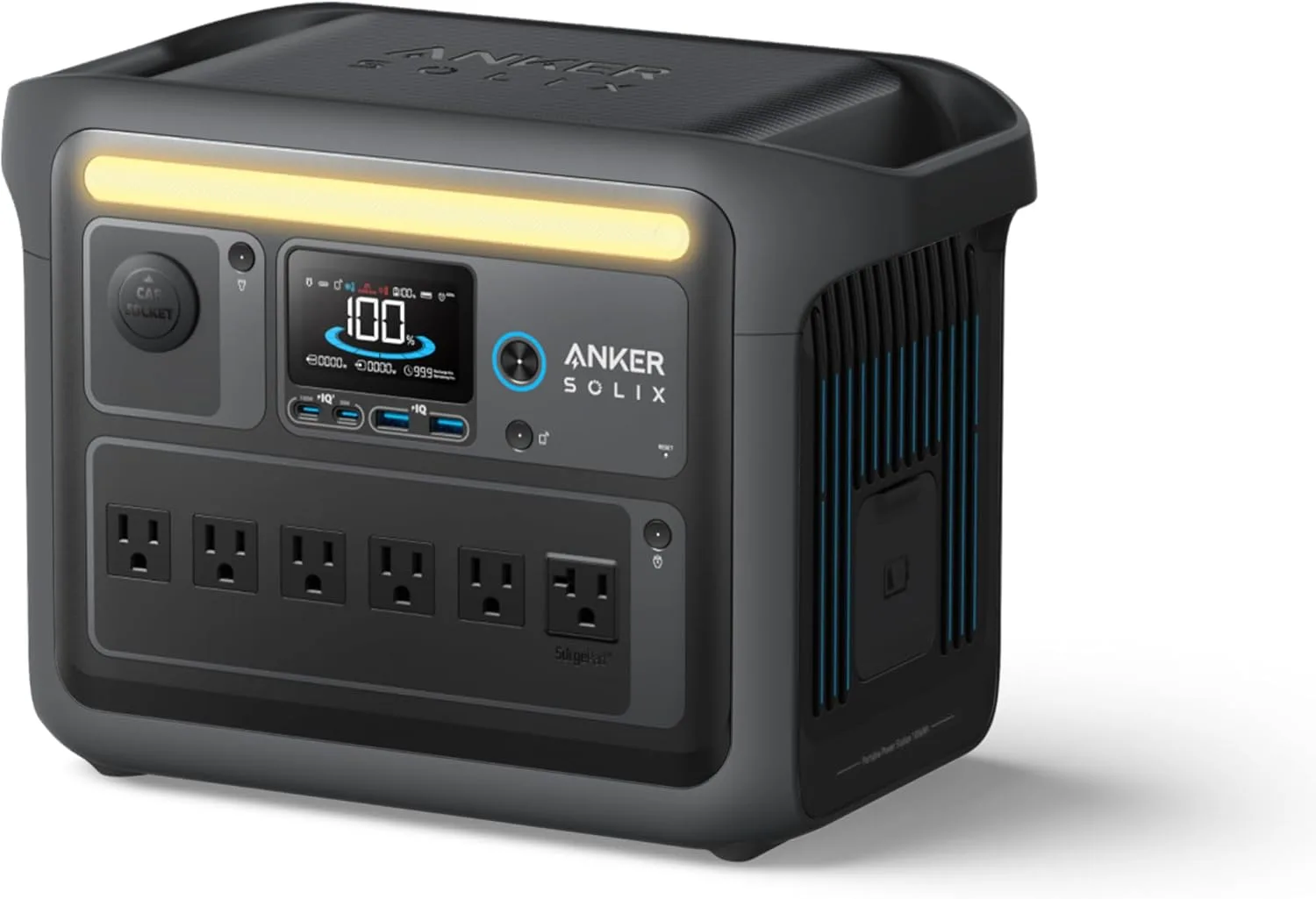
Anker C1000 Portable Power Station
Highlights
- 1056Wh rated capacity
- 1800W continuous AC
- LiFePO4 chemistry
- Up to 600W solar input
- 28.4 lb (~12.9 kg)
- About $599 list
Best for
- SOLIX C1000: small appliances and tools that need ~1800W continuous, not just phone charging
- Essentials bridge at home (fridge cycles, router) when sized to the Wh
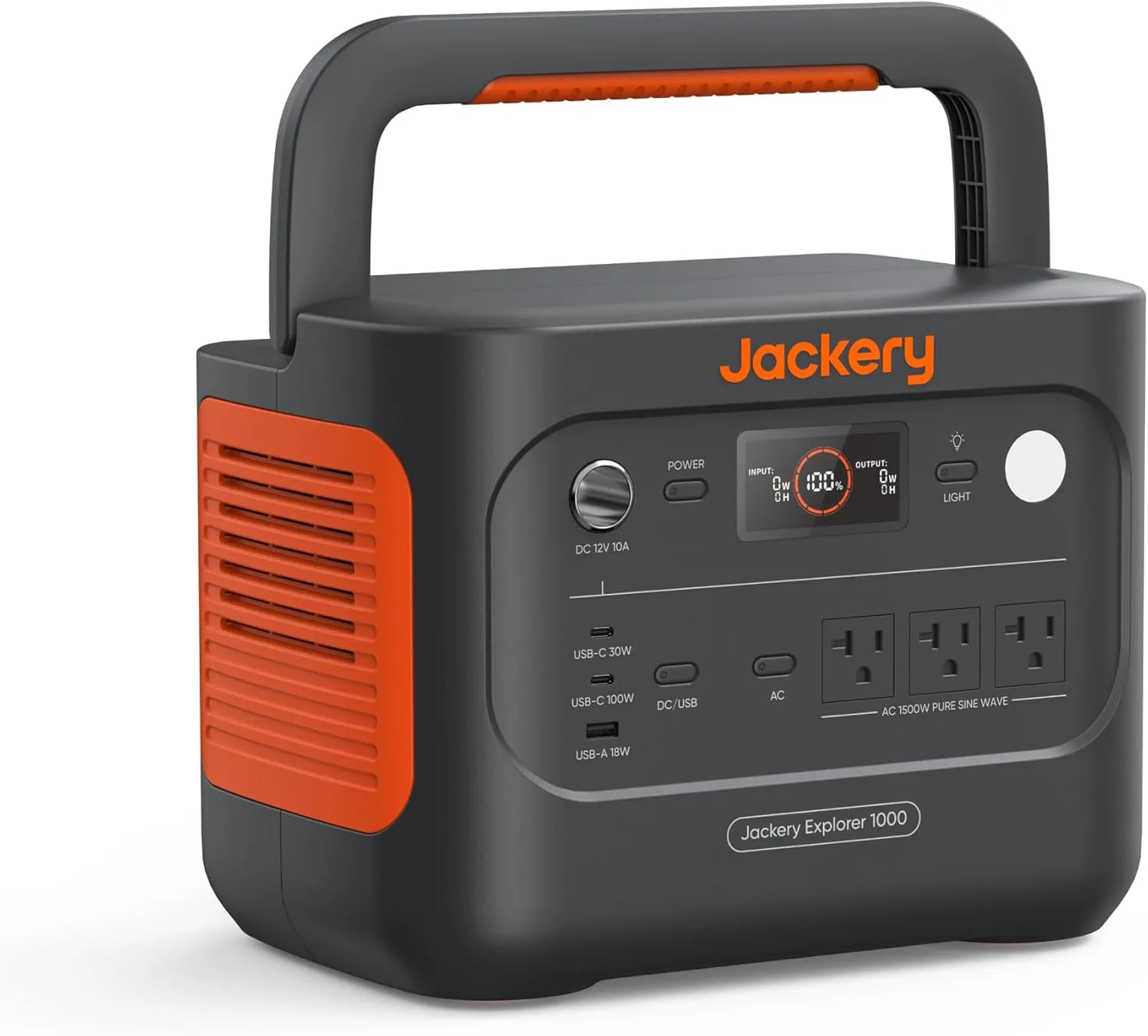
Jackery Explorer 1000 v2 Portable Power Station,1070Wh,1500W
Highlights
- 1070Wh rated capacity
- 1500W continuous AC
- LiFePO4 chemistry
- Up to 400W solar input
- 23.8 lb (~10.8 kg)
- About $559 list
Best for
- Explorer 1000 v2: weekend camping when 23.8 lb carry weight matters as much as 1070Wh
- Essentials bridge at home (fridge cycles, router) when sized to the Wh
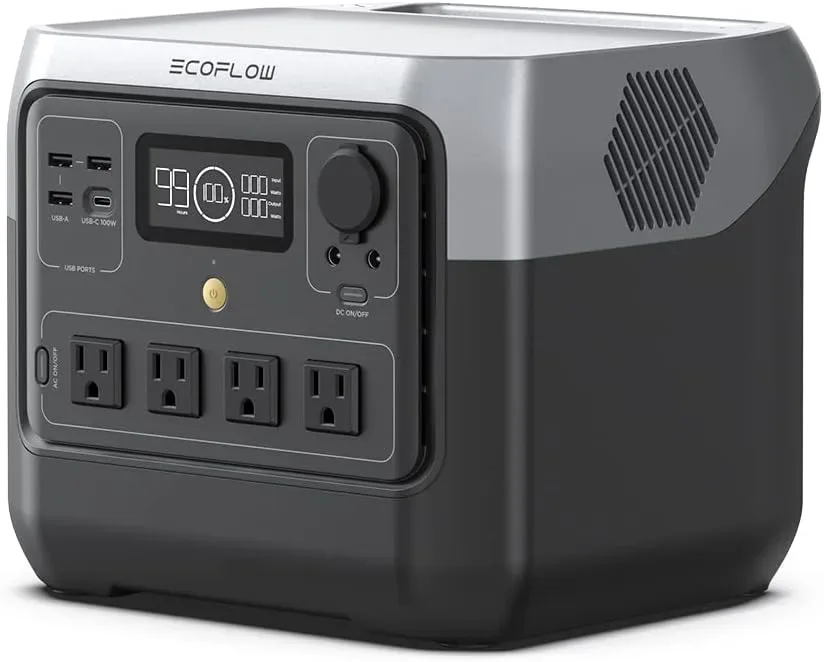
EcoFlow Portable Power Station RIVER 2 Pro, 768Wh 800W
Highlights
- About $439 list
- EcoFlow catalog listing
- Specs from manufacturer listings
Best for
- EcoFlow Portable Power Station RIVER 2 Pro, 768Wh 800W: longer outages or higher continuous loads (still not whole-home wiring)
- RV / off-grid days where recharge speed matters as much as Wh
Spec snapshot: the five units side by side
All prices are list prices from the catalogue, not deal stickers. Ratings are listing aggregates, not owner proof. The Anker C1000 with Car Charging Cable shows 56 Wh on its listing — that's a data conflict I flag in its section rather than treat as a real capacity. Prices and availability change; verify current specs and stock on the listing before you buy.
| Product | Price | Capacity (Wh) | Output (W) | Weight (lb) | Rating |
|---|---|---|---|---|---|
| BLUETTI AC180 | $499 | 1152 Wh | 1800 W | 35.3 lb | 4.5 |
| Anker C1000 Portable Power Station with Car Charging Cable, 1,056Wh | $599.99 | 56 Wh | 1800 W | 27.6 lb | 4.7 |
| Anker C1000 Portable Power Station | $599 | 1056 Wh | 1800 W | 28.4 lb | 4.7 |
| Jackery Explorer 1000 v2 Portable Power Station,1070Wh,1500W | $559 | 1070 Wh | 1500 W | 23.8 lb | 4.7 |
| EcoFlow Portable Power Station RIVER 2 Pro, 768Wh 800W | $439 | n/a (not on file) | 1600 W | 18.2 lb | 4.5 |
#1 BLUETTI AC180 — the value desk backup
The AC180 is the unit I'd put under a desk and forget about until the power blinks. Owners describe the UPS switchover as instant — internet and devices stayed on without a hiccup when grid power was cut. Setup is genuinely simple: plug it into the wall to keep it charged, run a properly rated extension cord to the circuit you care about, and you're done. The display shows incoming and outgoing watts plus estimated runtime, which makes it easy to see what your desk is actually pulling.
The caveat that matters for remote work is idle draw. With the inverter on, owners report about 20W per hour just sitting there. Over an eight-hour workday that's roughly 160Wh — a meaningful chunk of a 1152 Wh battery if you're running light loads. The manual also states only about 90% of capacity is usable, so plan on roughly 1,000Wh of real-world energy, not 1152.
There's a calibration quirk too: some units arrive charging slowly (around 300W) until a full discharge and recharge cycle plus firmware updates. Owners who did that saw runtime match the display. Do it early. The wireless charging pad on top is unreliable — phone connects, then stops after a few seconds — so don't buy it for that. And at 35.3 lb, it's a set-and-stay unit, not a carry-far one.
Warranty and battery anxiety: check the current warranty terms and return window on the listing before you buy, since they can change. The LFP battery is rated for many cycles, but capacity will degrade gradually with heavy daily use — if you're cycling it every day, expect to lose some runtime over the years. That's normal for any lithium unit here.
Suits: a home-office desk that needs a true UPS and the best nameplate cost per Wh here at $0.43/Wh. Skip if: you need to carry it between rooms daily, or you want the fastest recharge cycle. Not for you if: you need to run a fridge or space heater through a multi-day outage.
- Owner theme: UPS switchover kept router and devices online without interruption.
- Watch-out: ~20W/hr idle draw with inverter on; ~90% usable capacity per manual.
- Watch-out: wireless charging pad unreliable; heavy at 35.3 lb.
- Warranty/returns: confirm current terms on the listing; LFP capacity degrades gradually with daily cycling.
#2 Anker C1000 Portable Power Station — the daily-cycle pick
If you're cycling the battery every single workday, recharge speed becomes the whole game. Owners report the C1000 going from 1% to 100% on AC in about 1 hour 32 minutes, and the app lets you dial down charge wattage so you don't overload a generator or a shared circuit. That's the feature that makes it a daily driver rather than an emergency-only box.
For remote work specifically, the app shows input and output watts plus estimated runtime, and owners describe running a fridge for 36 hours and a larger kitchen fridge for 12 hours — far beyond a desk load, which tells you there's plenty of headroom for a laptop, monitor, and router. In a truck camper, owners powered a microwave, Keurig, furnace, and water heater during quiet hours, switching to UPS mode when shore power was needed.
The trade-offs are physical. Owners consistently say it feels heavier than the 28.4 lb spec — more like 40–60 lb in hand — so treat it as a move-and-leave unit. The included AC cable is short (about 4–5 ft), which limits placement near outlets. The top light is dim and yellowish. And the app occasionally needs a firmware update to stabilize Wi-Fi/Bluetooth; one owner had the unit shut off overnight before updating.
Warranty and battery anxiety: check the current warranty and return policy on the listing, as terms can change. Daily deep cycling will gradually reduce capacity over time; if you rely on it every workday, plan for some degradation and consider whether a second unit or a larger battery is worth it.
Suits: a desk that runs on a daily charge cycle and wants app control over charge rate. Skip if: you need to carry it up stairs regularly, or you want the lowest cost per Wh. Not for you if: you want a verified capacity figure without paying the bundle premium.
- Owner theme: 1% to 100% AC recharge in about 1 hour 32 minutes.
- Watch-out: feels heavier than the 28.4 lb spec; short AC cable.
- Watch-out: app needs firmware updates to stabilize connections.
- Warranty/returns: confirm current terms on the listing; daily cycling will gradually reduce capacity.
#3 Jackery Explorer 1000 v2 — the quiet apartment office pick
Noise is the underrated spec for a remote-work power station. If the unit sits in the same room where you take calls, fan whine matters more than 50Wh of capacity. Owners describe the Explorer 1000 v2's quiet mode as significantly reducing noise at night while still powering a fridge and fans — enough to sleep next to. That's the best noise story in this group.
It also handled a refrigerator and a portable AC unit simultaneously during testing, which tells you the 1500 W continuous output has real headroom for a desk load. Recharge from 0 to 100% took about 1 hour 40 minutes on normal mode; the emergency boost can push to 1000W but reverts after each quick charge, so most owners stick with normal. The 100W USB-C PD ports fast-charge phones and tablets, and owners ran a 12-quart DC fridge for three days from 100% down to 43%.
The caveats are connectivity, not power. It lacks 12V DC barrel plug ports, so you need an adapter for 12V accessories. The solar input port is less common than some competitors, so check panel compatibility before buying. Owners noticed the charging rate seemed stuck around 300W until a full discharge and recharge cycle — after that it charged at 600–800W normally. The app's Wi-Fi connection sometimes dropped overnight, requiring a manual reconnect.
Warranty and battery anxiety: check the current warranty and return window on the listing, since they can change. Like any lithium unit, capacity will fade with heavy daily use; if you're cycling it every day, expect some loss over the years.
Suits: a shared apartment or bedroom office where fan noise is a dealbreaker, and you want the lightest of the 1kWh units at 23.8 lb. Skip if: you need 12V barrel ports or a common solar connector. Not for you if: you need the highest continuous output in this group.
- Owner theme: quiet mode allowed sleep while powering a fridge and fans.
- Watch-out: no 12V DC barrel ports; less common solar input port.
- Watch-out: charging rate can seem stuck at ~300W until a full cycle.
- Warranty/returns: confirm current terms on the listing; capacity fades with daily cycling.
#4 EcoFlow RIVER 2 Pro — the travel-desk pick
At 18.2 lb, the RIVER 2 Pro is the one you'll actually carry to a coworking space, a cabin, or a campsite. Owners describe it as a compact powerhouse for remote work: it ran a laptop, monitor, tablet, and hotspot all day without issue, and one owner ran a CPAP machine and charged phones overnight and still had about 50% left by morning. In the shop, it handled an 800W coffee maker, a 711W toaster, a 450W vacuum, and even a 1/3 HP sump pump with surge.
Recharge is quick: 28% to 100% in under an hour on AC, and a few hours with a 220W solar panel. The LFP battery is rated for many cycles, which matters if you're using it daily. The app shows input/output and lets you adjust charge rates.
The caveats are real. It has only one USB-C port, which is limiting if your desk is all USB-C. It does not support simultaneous charging from multiple sources — you pick AC, DC, or USB-C, one at a time. Customer service experiences vary widely: some owners get quick, helpful phone support, while others report slow, scripted responses and unresolved issues. One owner had a charge-limit bug where the unit kept charging past a set 65% limit, eventually shutting off during an outage; firmware updates may help, but not always.
One data note: the catalogue capacity for this SKU is n/a (not on file), so I'm not going to quote a Wh figure I can't verify. The listing name says 768Wh, but I'm treating that as unconfirmed for the table. Scenario estimate: if the 768Wh listing name is accurate, a 100W desk load would give roughly 6–7 usable hours after inverter overhead and idle draw — enough for a focused work session, not a full eight-hour day without a top-up. Treat that as an estimate, not a verified spec.
Warranty and battery anxiety: check the current warranty and return policy on the listing, as terms can change. The LFP battery is rated for many cycles, but daily use will gradually reduce capacity; if you're relying on it every day, plan for some degradation.
Suits: a digital nomad or hybrid worker who carries the unit between locations and wants the lightest body here. Skip if: you need multiple USB-C ports, simultaneous charging, or predictable support. Not for you if: you need a verified capacity figure before buying.
- Owner theme: ran a laptop, monitor, tablet, and hotspot all day for remote work.
- Watch-out: single USB-C port; no simultaneous charging from multiple sources.
- Watch-out: customer service experiences vary; one charge-limit bug reported.
- Warranty/returns: confirm current terms on the listing; capacity fades with daily use.
#5 Anker C1000 with Car Charging Cable — the listing-conflict caveat
This SKU is the same C1000 platform as #2, bundled with a car charging cable, but its listing capacity reads 56 Wh — which is almost certainly a data error, not a real 56Wh battery. I'm not going to pretend that number is usable for remote work, and I'm not going to invent a corrected figure. On paper, 56 Wh would run a laptop for well under an hour, which contradicts every owner report of fridge runtime measured in hours.
What I can say from the owner themes on file: the C1000 platform recharges from 1% to 100% in about 1 hour 32 minutes on AC, runs a full-size fridge for 36 hours, and offers app control over charge wattage. The car charging cable is the differentiator here — useful if you're working from a vehicle or moving between sites without wall power.
My honest read: if you want the C1000 platform, buy the standard listing (#2) where the capacity is confirmed at 1056 Wh. Buy this bundle only if the car cable is the thing you need and you've confirmed the capacity with the seller. At $599.99 list, it's $0.99 more than #2 for the same platform plus a cable.
Warranty and battery anxiety: check the current warranty and return policy on the listing, as terms can change. Since the capacity figure is unconfirmed, confirm both the spec and the warranty with the seller before buying.
Suits: a vehicle-based remote worker who needs the car charging cable and has confirmed the capacity. Skip if: you want a verified Wh figure in the table — go with #2 instead. Not recommended until the 56 Wh listing conflict is resolved.
- Listing capacity reads 56 Wh — treat as a data conflict, not a real spec.
- Bundle adds a car charging cable; list price is $599.99 vs $599 for #2.
- Not recommended until the capacity conflict is resolved — buy #2 for a verified figure.
- Warranty/returns: confirm current terms and capacity with the seller before buying.
Where remote-work buyers get burned
The biggest mistake is buying on nameplate Wh alone. A 1152 Wh unit with 20W idle draw and 90% usable capacity gives you roughly 1,000Wh of real energy — and if you're running a 100W desk, that's about 10 hours, not 11.5. The second mistake is ignoring recharge speed: if you can't refill in a lunch break, a single unit can't cover a daily work cycle.
The third is assuming solar is the hero. It isn't. Solar panels are optional add-ons here, and owner reports show real-world panel output well below the sticker — one owner measured about 161W from a 200W panel on a clear day and 57W on a fully cloudy day. Plan on wall charging as your primary cycle and solar as a top-up.
The fourth is port noise. If the unit lives in your office, quiet mode is a feature worth paying for — the Jackery's quiet mode is the reason it's on this list despite lower continuous output.
- Nameplate Wh ≠ usable Wh: subtract inverter overhead and idle draw.
- Recharge speed decides whether one unit covers a daily cycle.
- Solar is a top-up, not a primary charge — real output runs below sticker.
- Noise matters if the unit shares your call room.
Who should walk away
If you need to run a fridge, a space heater, or a sump pump through a multi-day outage, none of these five is the right answer — you need a larger class of unit and a transfer-switch plan. If you need to carry the unit up and down stairs every day, the BLUETTI AC180 and both Anker C1000 units are too heavy; the EcoFlow RIVER 2 Pro is the only one here that's genuinely carry-friendly at 18.2 lb.
If you want a verified capacity figure and a car charging cable, the Anker C1000 with Car Charging Cable is the wrong buy until the 56 Wh listing conflict is resolved — go with the standard C1000 instead. And if you need multiple USB-C ports or simultaneous charging, the RIVER 2 Pro will frustrate you.
For most remote-work desks, the BLUETTI AC180 is the buy: lowest nameplate cost per Wh at $0.43/Wh, a real UPS, and enough usable capacity for a full workday. If you cycle daily and want the fastest refill, the Anker C1000 Portable Power Station is the upgrade. If noise is the dealbreaker, the Jackery Explorer 1000 v2.
- Skip all five if: you need whole-home or multi-day appliance backup.
- Skip the AC180 and both C1000s if: you carry the unit daily.
- Skip the RIVER 2 Pro if: you need multiple USB-C ports or simultaneous charging.
- Skip the car-cable C1000 bundle until the 56 Wh listing conflict is resolved.
Frequently asked
How long will the BLUETTI AC180 run a laptop, monitor, and router?
At roughly 1800W continuous, plan on about 10 hours of usable runtime once you account for the ~20W/hr idle draw and ~90% usable capacity. That's a full workday plus a bit. This is an estimate based on owner-reported idle draw and the manual's usable-capacity figure, not a lab measurement.
Can the Anker C1000 Portable Power Station recharge during a lunch break?
Owners report 1% to 100% in about 1 hour 32 minutes on AC, so a long lunch is enough for a full refill if you have wall power.
Why is the Anker C1000 with Car Charging Cable listed at 56 Wh?
That's a listing data conflict, not a real capacity. The same platform is confirmed at 1056 Wh on the standard listing. Don't buy the bundle expecting 56 Wh of runtime — confirm capacity with the seller first.
What's the difference between UPS mode and pass-through power?
Pass-through just means the unit is plugged into the wall and passing grid power to your devices while its battery sits charged. UPS mode actively switches to battery within milliseconds when grid power drops, so your router and PC don't reboot. The BLUETTI AC180 has a documented UPS switchover; the RIVER 2 Pro does not, so it's pass-through only.
How many solar watts do I need to recharge these for remote work?
Owner reports show real-world panel output well below the sticker — one owner measured about 161W from a 200W panel on a clear day and 57W on a fully cloudy day. For a desk load, plan on wall charging as your primary cycle and treat solar as a top-up; size panels for at least the unit's AC recharge wattage if you want a meaningful contribution.
Will the battery degrade if I cycle it every day?
Yes — all lithium units lose some capacity over time with heavy daily cycling. The LFP batteries here are rated for many cycles, but if you're relying on the unit every workday, expect gradual runtime loss over the years. Check the current warranty terms on the listing, as they can change.
Method and sources
Model names and list prices come from the WattPicks catalog at build time. WattPicks does not run its own laboratory tests on power stations, and nothing on this page is presented as a measured result — it is catalog-backed buying guidance.
Read our methodology for how the catalog is normalized, and about WattPicks for who publishes it.